Skip to content

Recipe Nutrition Calculator

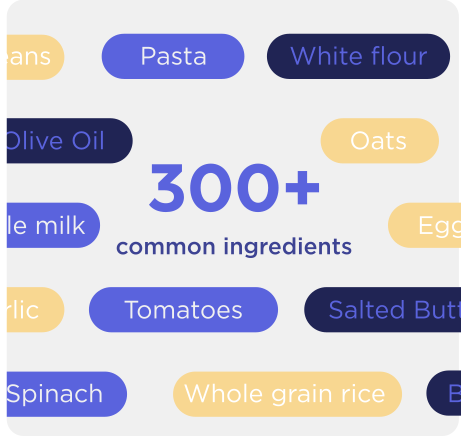
Choose from 300+ common ingredients to estimate calories and macros per serving or for your whole recipe. Free, no account, no install.

What this free tool does

  • Gives you a quick estimate in your browser.
  • Shows calories and seven nutrients per serving or for the whole recipe.
  • Lists the food and gram weight you chose for each ingredient.

What WP Recipe Maker Pro does for you

  • Suggests ingredient matches inside the WordPress recipe editor.
  • Lets you review matches and adjust the values before applying them.
  • Adds the values you approve to your recipe’s nutrition label.

Publishing this recipe on your food blog?

With Pro or Elite, you can calculate nutrition while editing your recipe in WordPress.

See how WP Recipe Maker Pro does it

Nutrition data comes from USDA FoodData Central. Figures are estimates and vary by ingredient, brand and preparation.

How does a recipe nutrition calculator work?

Each food has nutrient values per 100 g. The calculator scales those values to the amount in your recipe and adds up the results.

Here’s what happens as you build your recipe.

  1. Choose the ingredient

    Search for the food as you measured it. White rice has separate entries for dry rice and cooked rice.

  2. Enter the amount

    Enter a quantity and choose one of the measures listed for that food. For a whole egg, you can choose a medium or large egg or enter its weight without the shell.

  3. Convert the amount to grams

    The calculator converts each amount to its edible weight. Half a US cup of all-purpose flour counts as 62.5 g. You can check the weight beside each ingredient.

  4. Work from the recipe as written

    Use the raw or cooked form and preparation specified in your recipe. Cooking can change the final weight as water evaporates or fat drains away.

  5. Calculate each serving

    The calculator adds the matched ingredients together, then divides each nutrient total by the number of servings. Four equal servings each get a quarter of the total.

Read the full guide to calculating recipe nutrition

Why do nutrition calculators disagree?

Two calculators can give different results for the same recipe. Compare the food records, the weights used for household measures, and the number of servings.

Choose the exact food

Food records describe a particular ingredient and preparation.

One US cup of dry white rice weighs 185 g. A cup of cooked white rice weighs 158 g and includes the water absorbed during cooking.

Check the name in your recipe list and replace the ingredient if needed.

Convert cups to grams for each food

A cup measures volume. The weight depends on what you put in it and how you fill it.

One US cup of packed brown sugar weighs 220 g in this catalog. The unpacked measure weighs 145 g.

Use the preparation shown in the unit menu, or weigh the ingredient yourself.

Check the serving count

Calculators can agree on a recipe total and still show different values for a serving.

A cake cut into eight slices has more calories per slice than the same cake cut into twelve.

Switch to Whole recipe to compare totals before checking the portion count.

Where the numbers come from

This catalog uses USDA FoodData Central’s SR Legacy records. Each record gives calories, protein, carbohydrates, fat, saturated fat, fiber, sugars and sodium per 100 g of edible food.

The listed household weights come from the same food record. Measures such as chopped, sliced or packed have their own weights where available.

Explore USDA FoodData Central

Can you publish these numbers on your blog?

When sharing a recipe estimate, tell readers what one serving means. For example, if your cake makes twelve slices, label the numbers as the estimate for one slice.

Before copying the figures into a recipe card, review every food and weight. If the calculator lists an excluded ingredient, the figures cover only part of your recipe.

Different brands and preparation methods can change the result. Describing the figures as estimates gives readers that context.

WP Recipe Maker Pro

Put the numbers straight into your recipe card

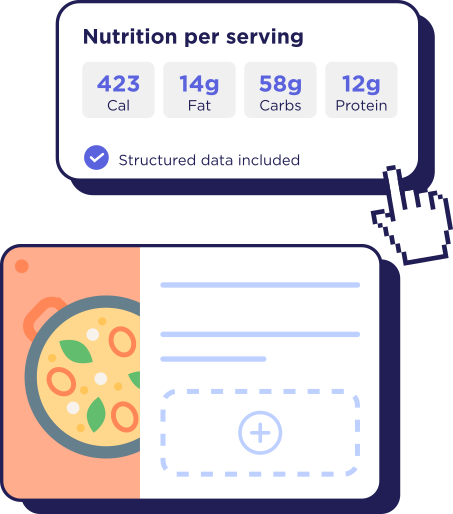
If you publish recipes regularly, Pro and Elite let you calculate nutrition inside the WordPress recipe editor. Review the suggested matches, choose the number of portions, then apply the values and save your recipe.

Compare recipe nutrition calculators

Plans and pricing

Choose a WP Recipe Maker plan based on how you want to handle nutrition on your blog.

Free

$0

Enter calories manually in your recipe card.

Premium

$49/year

Display a full nutrition label using values you enter yourself.

Best for nutrition

Pro

$99/year

Calculate nutrition in the editor, review ingredient matches and apply the values to your label.

Get Pro

Elite

$149/year

Includes the same nutrition calculation as Pro, plus features such as Recipe Collections and recipe submissions.

Compare all WP Recipe Maker plans

Frequently asked questions

Is the recipe nutrition calculator free?
Yes. Enter your ingredients and servings here in your browser. You can use it without an account or a plugin.
How accurate is a recipe nutrition calculator?
The estimate depends on your food matches, amounts and servings. Weigh the edible portion when possible and check each gram weight in your recipe list.
What nutrition data does the calculator use?
This tool uses nutrient values and household measures from USDA FoodData Central’s SR Legacy records for over 300 common foods.
What if my ingredient is missing?
Try another common name. If the catalog has no match, you can list the food as excluded. The result names the missing ingredient and shows a partial estimate for the matched foods.
Do I need WP Recipe Maker Pro to use this page?
You can use this page on its own. Pro and Elite add a separate nutrition calculation workflow to the WordPress recipe editor.
How is the serving size decided?
You choose how many equal portions your recipe makes. To give a serving weight, weigh the finished dish and divide that weight by the number of portions.