

You’ve found a recipe with hundreds of five-star ratings, roll up your sleeves, and… it ends up being utter garbage. Those shiny stars promised success, but they didn’t explain why the recipe worked (or didn’t) for real people in real kitchens…
That’s the trouble with star-only ratings: they’re quick, anonymous, and mostly useless. Five stars doesn’t tell you if someone actually made the dish, what substitutions they tried, or how it turned out in their oven.
Ratings only become valuable when they’re tied to context. A short comment alongside the stars turns empty numbers into something readers can actually use. Instead of “★★★★★” with no explanation, you get notes like “Swapped in almond milk and baked five minutes longer – perfect!” That kind of feedback gives nervous cooks confidence, shows search engines your recipes are worth featuring, and helps you improve recipes over time. Ratings offer food bloggers trust, help improve recipes, and boost SEO. Let’s take a closer look!
Why context-based ratings work best on food blogs
Comment-based ratings vs star-only ratings
Star-only ratings mean you know someone had an opinion, but you have no clue what actually happened in their kitchen. Did they follow the recipe? Did they swap half the ingredients? Did they even cook it at all? The stars don’t tell you.
Context-based ratings, on the other hand, do. They ask readers to pair their stars with a short comment, turning a simple score into a snapshot of their real cooking experience.
“★★★★★” on its own is meaningless.
But “★★★★★ I used bread flour instead of all-purpose and added 10 minutes for high altitude. Came out perfect!”? Gives readers something to go on. It’s the kind of feedback that helps others make informed choices, and gives you, the blogger, insights into how your recipes perform in real homes.
Building reader trust and engagement
Anyone can click a star rating. That’s why they’re so easy to fake and why readers often don’t trust them. When ratings require a comment, though, reviews feel more credible because they come with real cooking details that bots can’t fake.
Patterns start to appear, too. If five different people mention that your cookies spread too thin, you know there’s something worth tweaking (maybe it’s the butter temperature, maybe it’s the flour measurement!) Either way, that feedback gives you the chance to improve your recipe notes and help the next baker avoid the same frustration.
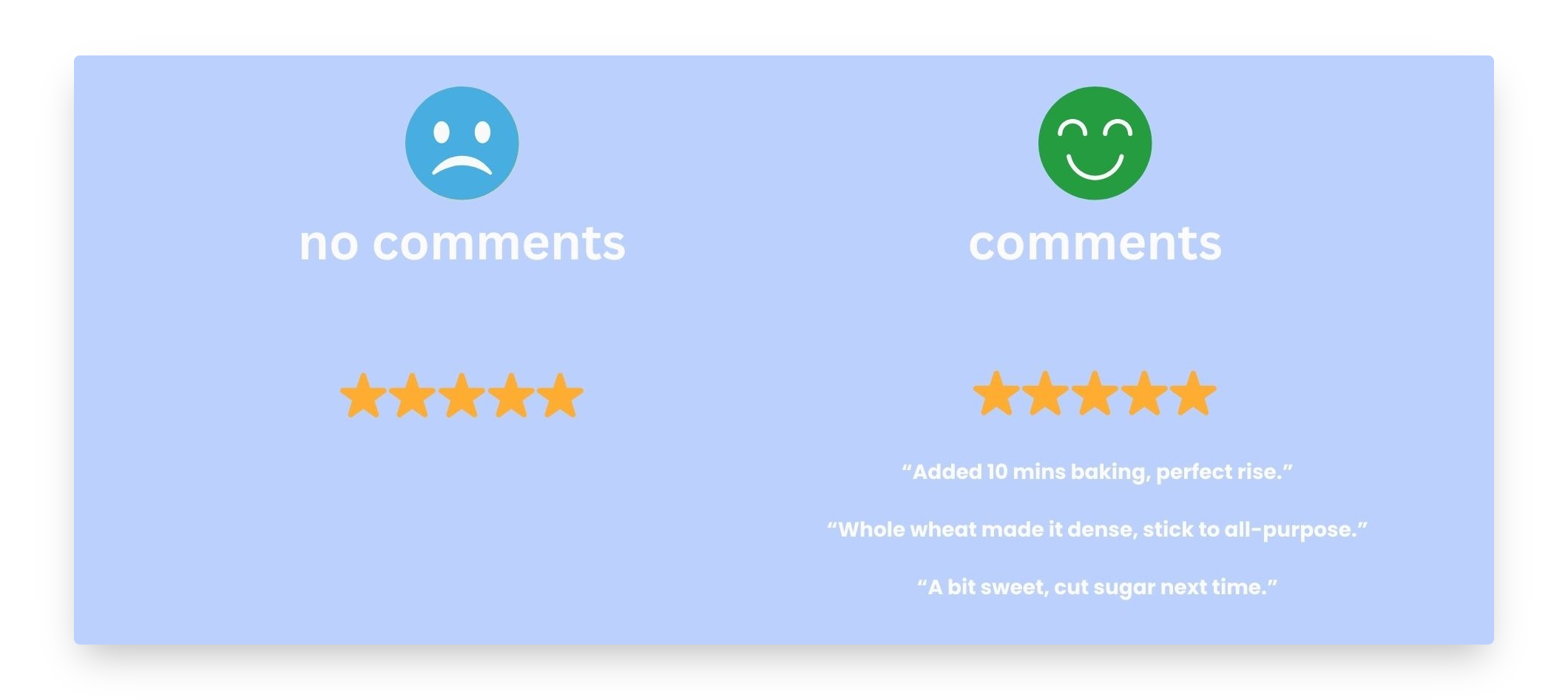
You also get those confidence-boosting success stories. “I made this dairy-free with coconut milk, and it was amazing!” Suddenly, someone nervous about substitutions feels reassured enough to give it a go.
Each detailed comment works like a mini case study. “I was worried about overmixing, but your tip to fold just until combined worked perfectly.” That one note can calm a dozen future readers facing the same worry.
And let’s not forget the small but brilliant details only real home cooks share: “My 9×13 pan worked better than the 8×8,” or “Doubling the vanilla made all the difference.” Those specifics can’t be faked, and they make your recipe blog feel authentic.
Readers who leave thoughtful feedback are more likely to come back, check replies, and try more recipes. In other words, comments build community.
SEO & search visibility benefits
Short comments make your stars believable. Google can see real review text on the page, not just a number, making the page eligible for rich results with stars, images, and times.
WP Recipe Maker, the recipe plugin for WordPress, automatically outputs Recipe + review data in JSON-LD automatically so your ratings can show up as rich results in Google without you touching any code. When you ask readers for a name and a short note alongside their stars, reviews stay trustworthy and avoid the “mystery five stars” problem. Every new comment adds fresh, keyword-rich content to your recipe page, which helps search engines keep it relevant and visible over time.
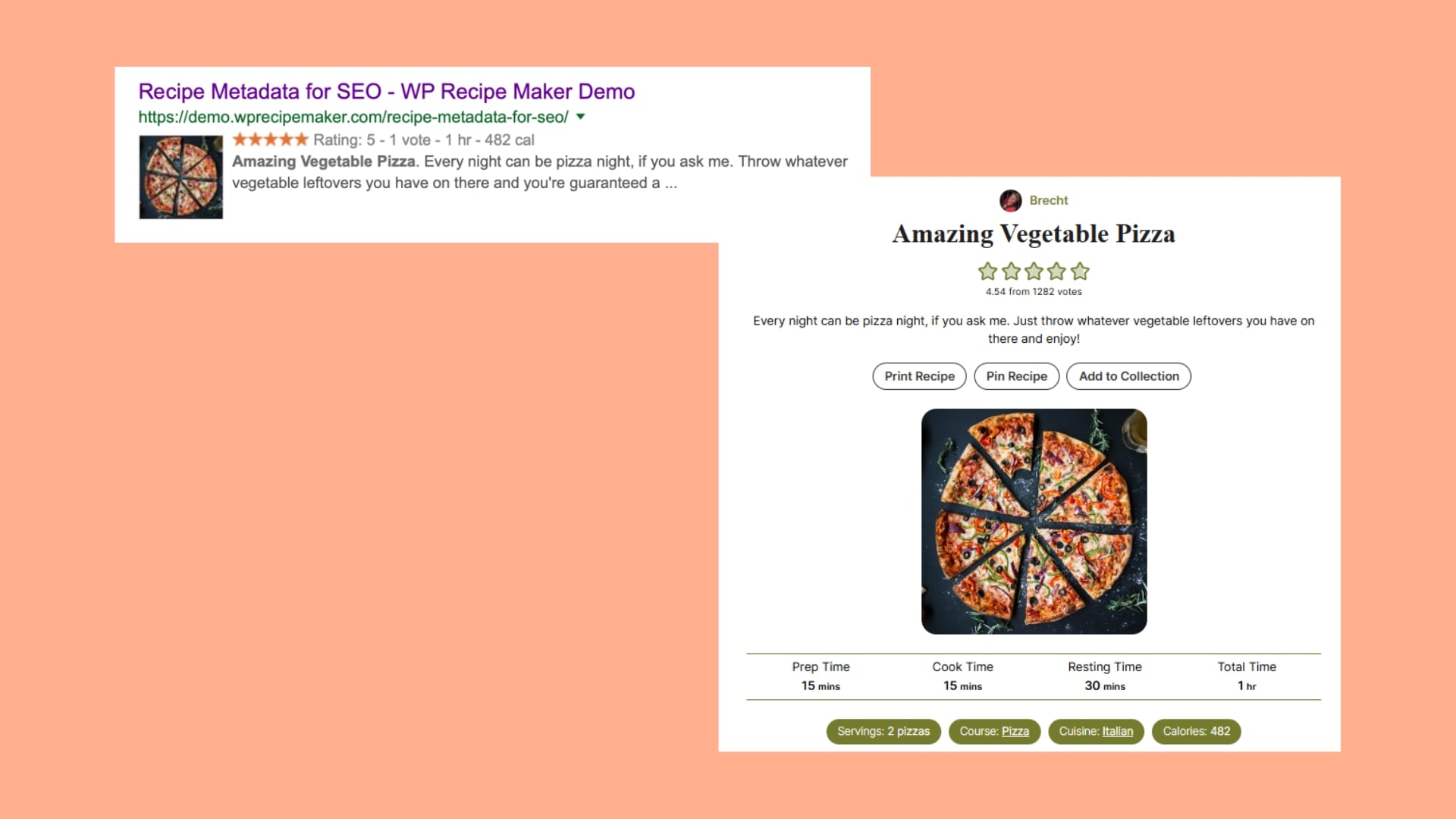
Quick setup checklist:
- Turn on comment-required ratings in WP Recipe Maker.
- Test a live URL in Rich Results Test.
- Make sure there’s one recipe schema per page (or mark extras as non-food).
- Reply to good reviews – it encourages more of them!
Direct business impact
Comments and ratings lift the metrics that matter. Thoughtful feedback keeps readers on the page longer and nudges them into a second or third recipe – the kind of engagement ad partners reward.
Public, specific reviews also give you proof you can reuse. Pull comments into sponsor pitches, landing pages, media kits, and even cookbook proposals. Meanwhile, the patterns in that feedback tell you what to fix. Ship small updates and add a short “What’s changed” note so readers see you’re listening.
Turn momentum into revenue by featuring a simple “Most-loved” collection on your homepage and linking recurring ingredients and tools. Keep the flywheel turning by requiring a short comment with every star rating, adding a gentle “Tried this? Leave a note” prompt, and replying to great reviews!
Setting up ratings with comments with WP Recipe Maker
Option A: Comment ratings (all plans)
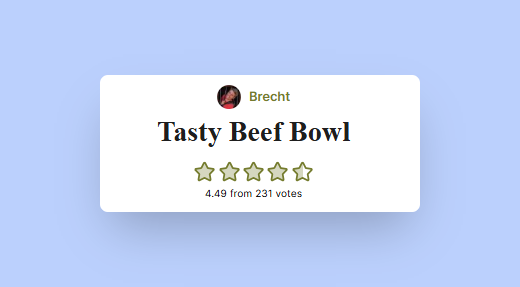
With comment ratings, readers leave their stars through the standard WordPress comment form. That means they need to scroll to the bottom of your post, find the comment box, and rate the recipe there. Each rating pairs with a short note and is saved like any other comment, so it shows up on the page and feeds into your recipe metadata for SEO.
Setup is simple: go to WP Recipe Maker → Settings → Star Ratings → Comment Ratings. It works with default WordPress comments and wpDiscuz (just disable Jetpack Comments if you’re using that). You can customise the star colour, label text, and where stars appear in the published comment. Moderation happens right in WP Admin.
Quick fixes if something looks off:
- Can’t click the stars? It’s usually a JavaScript clash from a theme or plugin. Temporarily switch to a default theme or disable plugins to find the culprit.
- No comment form at all? Check Settings → Discussion (allow comments, and make sure “auto-close after X days” isn’t hiding the form). Some themes also don’t output comments by default.
Comment ratings are perfect if you want the most “native” feel, minimal UI, and everything stored in the standard comments workflow.
Option B: User ratings modal (Premium – $49/year)
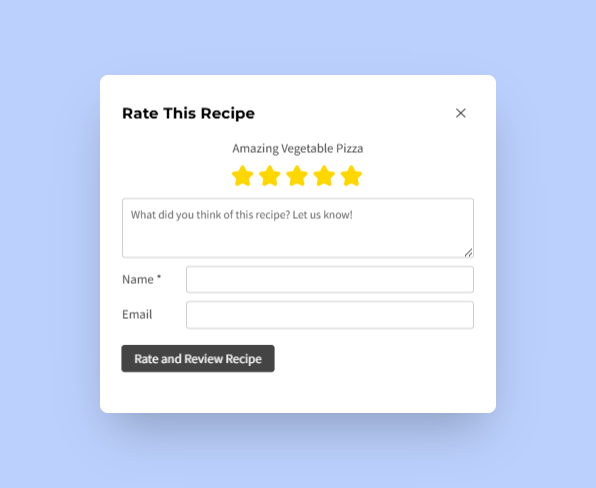
The User Ratings modal is designed for speed, especially on mobile. Instead of scrolling to the bottom, readers tap the stars directly in the recipe card. A small pop-up collects their rating and a quick comment (you can make comments required), so you get useful feedback without losing convenience.
You’ll find this under WP Recipe Maker → Settings → Star Ratings → User Ratings Modal. Customise the texts, CTAs, and colours, and use the thank-you message to invite readers to your email list or showcase a related recipe. If you prefer, you can set the stars to “jump to comments” instead of opening the modal. Either way, ratings and comments still feed into your recipe metadata for SEO.
Quick fixes:
- Stars in the card not clickable? Same things – it’s usually a JavaScript conflict.
- Low-effort ratings sneaking through? Turn on “require comment” for ratings so every star includes useful context.
The modal is great for high-traffic posts where you want more ratings from casual readers, especially on mobile, without sacrificing review quality.
Set up ratings that drive confidence and growth
Star clicks on their own don’t help anyone. Comment-anchored ratings turn those stars into real cooking feedback your readers can trust. They surface patterns you can fix, calm nerves for people making swaps, and create the kind of on-page proof that improves how your recipes show up in search.
WP Recipe Maker makes this simple because it works natively with WordPress. You get moderation in your normal comments, clean structured data behind the scenes, and an easy path to collecting short, useful reviews. Plus, if you ever hit a snag, you have the advantage of direct support from the plugin’s creator (Brecht!) – usually within 24 hours – so you’re never stuck figuring it out alone.
If you’re starting fresh, switch on comment ratings for your top recipes first. Watch what readers say, ship small updates, and reply. When you’re ready to scale, add the User Ratings modal to capture more feedback on mobile without losing quality. That’s how those stars start driving trust, repeat visits, and steady growth.
Get WP Recipe Maker today!