

Ad income on food blogs is unpredictable. One month it’s up, the next it’s halved. That’s why more bloggers are adding memberships for steady income. The trick isn’t hiding recipes behind a paywall (that kills SEO), but charging for the tools that actually save readers time, like saved collections, meal plans, and auto-updating grocery lists.
About 80% of your revenue will come from 20% of superfans. Focusing on loyal readers who offer real value beats chasing ever-cheaper traffic. Plus, with WP Recipe Maker, you can offer the premium features they’ll happily pay for while keeping every recipe free and searchable!
Quick-start guide for setting up a paywall:
- Install WP Recipe Maker Elite.
- Choose and install a membership plugin (MemberPress, PMPro, or WooCommerce Memberships).
- Map each paid tier to a WordPress user role.
- In WP Recipe Maker → Recipe Collections, enable Restrict access to members only.
- Add a clear upgrade message for non-members.
- Exclude your collections pages from aggressive caching rules.
- Test the full flow: sign up, save a recipe, generate a list, log out/in.
Map your membership business strategy
Before you start setting up plugins and payment gateways, step back and think about the bigger picture. A membership only works if it’s solving a real problem for your readers and if it’s built on a model that can actually scale. For food blogs, that usually means keeping recipes public for SEO and charging for tools that make meal planning easier.
1. Validate real demand
Don’t guess, test. Turn on Recipe Collections in WP Recipe Maker and let visitors save recipes for free. Collections are stored in the browser for casual readers, but logged-in users can save them in the database, meaning their meal plans and lists follow them across devices.

If you see people quickly building their own collections, you’ve got proof that a paid tier will do well. From there, ask your most active users what extras they’d value most. The usual suspects are printable shopping lists, nutrition breakdowns, or ready-made weekly meal plans. If they’re already using the free tools heavily, they’ll tell you what premium perks they’d pay for.
2. Model lifetime value and churn
Sure, memberships are largely about sign-ups, but that isn’t all. They’re about keeping people engaged long enough for the math to work in your favor. As we’ve said before, a simple rule of thumb is that approximately 80% of your revenue will come from the top 20% of your readers.
That means your focus should be on delivering ongoing value loops that keep those superfans subscribed month after month. In practice, this might look like releasing new saved collections every week or nudging members back with seasonal meal plans. If you can keep churn (cancellations) to a low single digit each month, your lifetime value per member grows quickly, even with modest pricing.
3. Craft tiered pricing
You don’t need to overcomplicate pricing, but you do need to structure it smartly:
- Free tier: Recipes stay open for SEO traffic. Visitors can save collections locally in their browser.
- Paid monthly tier ($5–9/month): Unlock the real perks – saved collections across devices, meal-planning calendars, shared grocery lists, and maybe a community Q&A.
- Annual plan (~2× monthly price): Offer a “founder” option that brings in upfront cash. Many members prefer a once-a-year payment if it saves them a bit overall.
This gives you the best of both worlds: public recipes that keep growing your audience, and a membership model that converts loyal readers into recurring revenue.
💡 Tip: Offer a 30-day free trial when you launch. It lowers the barrier for sign-ups and gives readers time to build a habit with your tools. Once they’ve got meal plans and shopping lists saved in their account, they’re far more likely to stick around and convert into paying members.
Retain members with weekly value loops
Getting someone to sign up is just the start. The next thing is keeping members engaged month after month so they don’t cancel. The most effective recipe memberships give people a reason to log in every week, not just when they remember.
1. Drop saved meal plans each Monday
Consistency builds habits. Create Saved Collections in WP Recipe Maker (think “5 Dinners in Under 30 Minutes” or “Weeknight Vegetarian Plan”) and push them to your members every Monday. With the “Push to All” option, the collection automatically appears in everyone’s dashboard.

Subscribers can then clone and tweak each plan in one click, adjusting servings or swapping recipes to suit their week. Because each collection generates a shopping list that scales automatically, members feel the value immediately!
💡Tip: Rotate themes seasonally (BBQ sets in summer, hearty soups in winter) to keep things fresh!
2. Personalise with data
Your readers aren’t all the same. Some want quick dinners, others want gluten-free swaps, and plenty are looking for budget-friendly options. Tag your recipes by diet, cuisine, or difficulty, then use that data to create niche collections like “30-Minute Gluten-Free Dinners” or “Family Meals Under $10.”
Track which collections get saved most often and double down on those themes. If members keep returning to a certain style of plan, it’s a clear signal that it’s reducing their weekly cooking stress, and that kind of usefulness is what keeps churn low.
3. Encourage community contributions
People stick around when they feel part of something. Including a Recipe Submission form somewhere on your site means top-tier members can share their own creations.
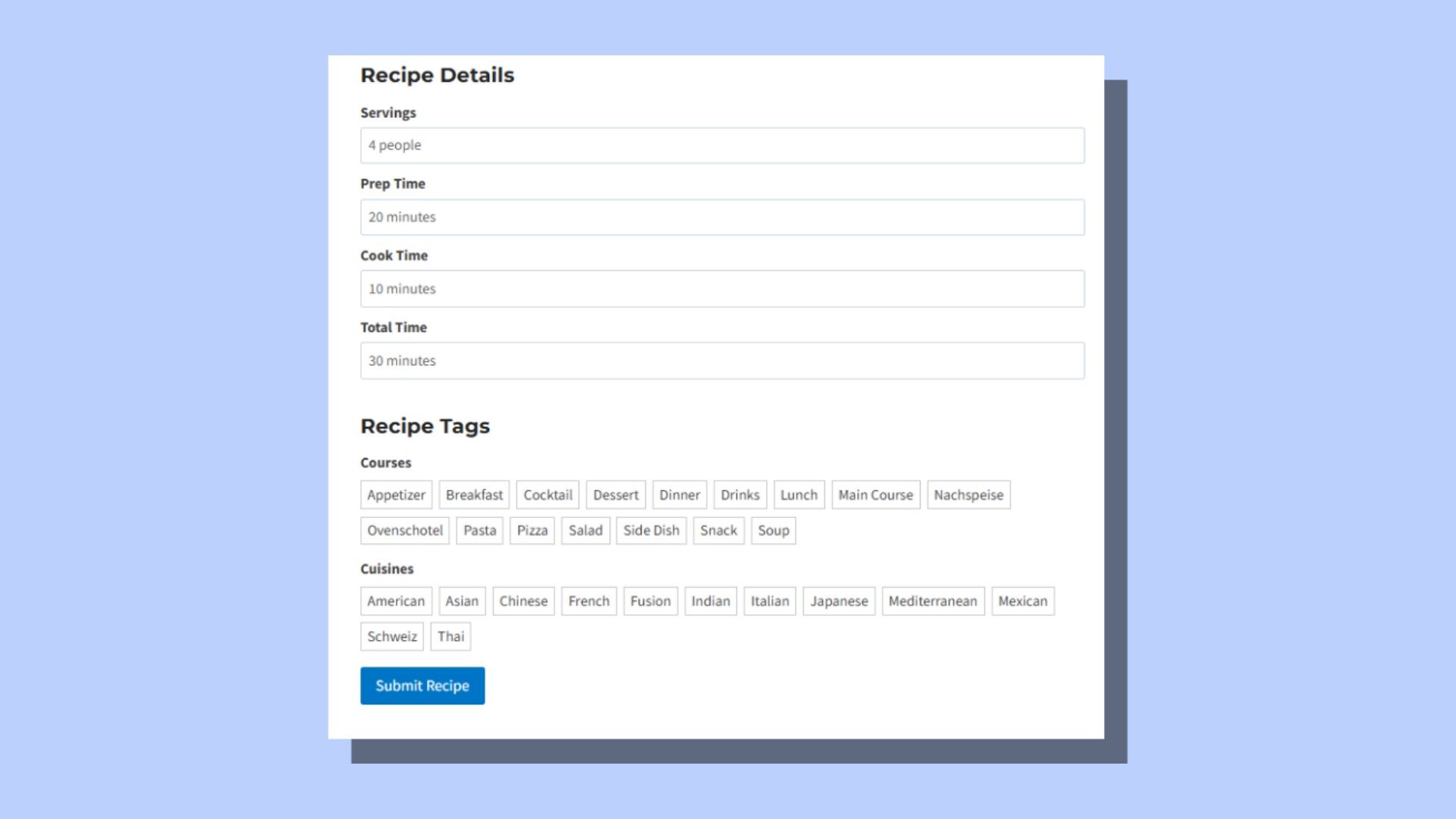
You stay in control with a moderation queue, but highlighting the best member contributions in your newsletter or dashboard adds a layer of community and recognition. For superfans, having their recipe featured is a reason to keep their membership active.
Connecting WP Recipe Maker with your membership plugin
Thankfully, you don’t need custom code to run a recipe membership site. With WP Recipe Maker handling collections and a membership plugin managing payments, the two work together!
1. Combine WordPress and role-based membership plugins
Start with a membership plugin that works well on WordPress (like MemberPress, Paid Memberships Pro, or Woo Memberships). Each lets you create different subscription tiers, connect Stripe or PayPal, and handle renewals automatically.
You’ll map each tier to a user role in WordPress. The membership plugin takes care of payments and permissions, while WP Recipe Maker delivers the recipe experience itself.
2. Gate collections, not recipes
Recipes should stay public for SEO. What you want to protect are the planning tools. In WP Recipe Maker → Recipe Collections, enable “Restrict access to logged-in users”. That keeps the Add-to-Collection button visible, but prompts visitors to log in (or sign up) when they try to use it.
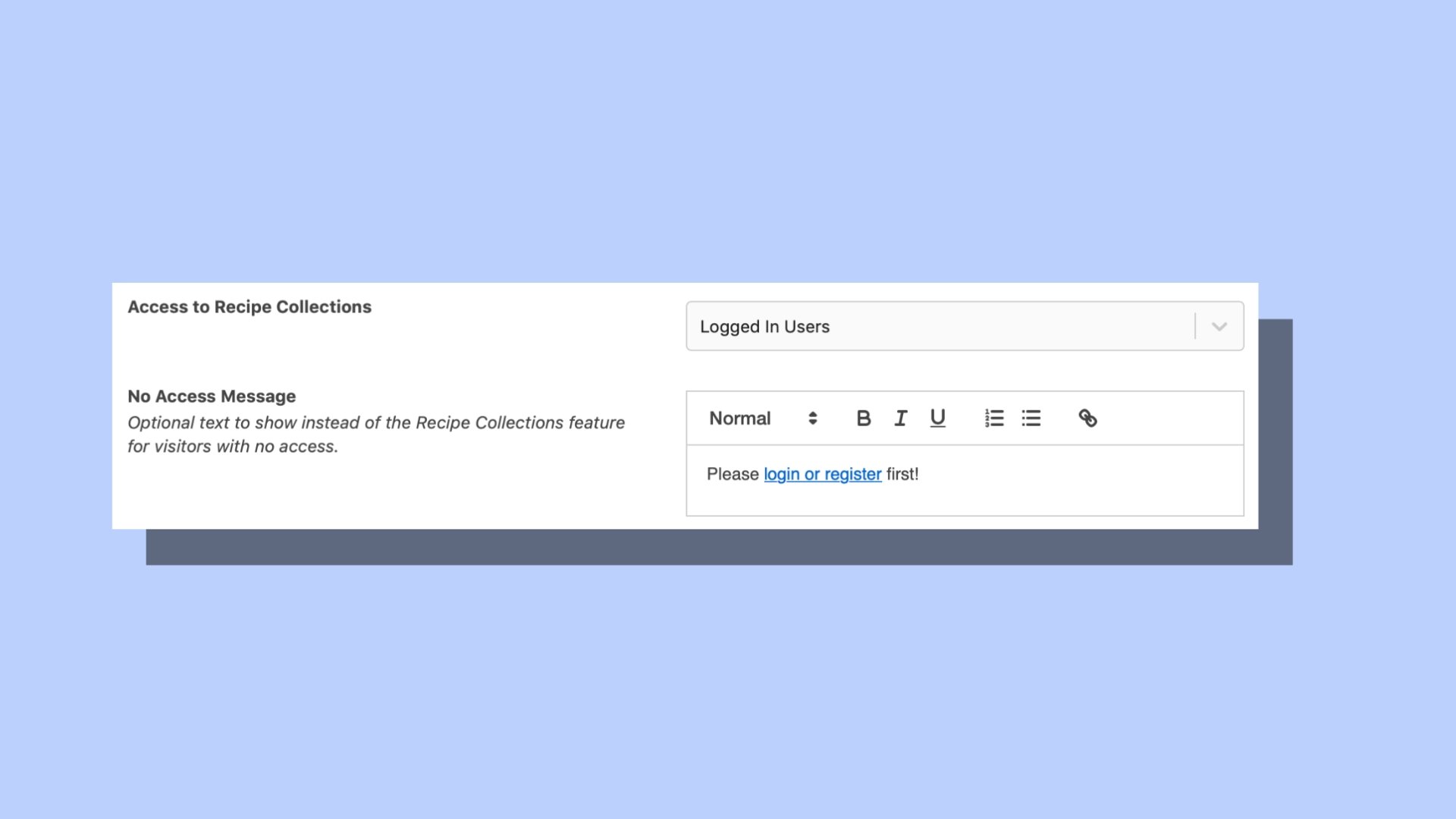
With the Elite bundle, you can go further. Tie access to specific membership levels, so free users can only save recipes in their browser, while paying members unlock synced collections, meal planners, and auto-generated shopping lists.
3. Solve caching and performance
Because collections are interactive, caching plugins can sometimes get in the way. WP Recipe Maker’s changelog shows the team keeps a close eye on this, with recent fixes for WP Rocket, SiteGround Optimizer, and Perfmatters.
Still, it’s worth testing. If you’re using a cache or performance plugin, exclude the pages where collections live from aggressive caching or minification. That way, saved recipes and shopping lists update instantly without breaking.
Secure and scale your recipe income
Ad revenue fluctuates, but memberships provide consistent income. Keep recipes public for SEO, and charge for meal planning tools.
With WP Recipe Maker Elite, features like Collections and auto-generated shopping lists become the membership perks that make a subscription feel worth it. Focus on serving your superfans, keep churn low, and you’ll see member value compound over time.
Ready to turn your recipes into reliable revenue? Install WP Recipe Maker, connect your membership plugin of choice, and launch your first paid meal-planning tier within the next 30 days!