
Starting a baking blog may feel daunting, especially when you’re spending hours creating recipes with only a small audience. However, with consistency, your blog can evolve into more than just a hobby – it can become a platform to share your creations and eventually generate income through ads, affiliate links, and digital (or physical) products.
WordPress is the best platform for this, powering over 43% of websites and offering the essential tools that serious food bloggers rely on. As your blog grows, Google’s recipe-rich results, Pinterest’s visual search, and AI discovery will reward your focused, niche content – whether it’s gluten-free cakes or troubleshooting sourdough.
Even part-time bloggers can achieve a steady income within 12–18 months by consistently publishing 100 well-structured recipes and using WP Recipe Maker for technical aspects!
Money and niche basics
Starting a baking blog doesn’t have to drain your savings. Expect about $100–200 in year-one costs:
- A domain (~$11/year at registrars like Namecheap or Google Domains).
- Shared hosting from providers such as DreamHost (from $2.59/month) or Bluehost (from $2.95/month).
- WP Recipe Maker Premium ($49/year) to handle recipe SEO and monetization.
You don’t need to overspend on hosting at the beginning. With a provider like BigScoots (starting at $34.95/month), you can begin on an entry plan and then scale to higher tiers as traffic grows — no migrations or rebuilds required. WordPress gives you that flexibility, unlike Wix or Squarespace, which lock you into their systems.
Understanding the income math keeps expectations realistic. Ad revenue is simply sessions × RPM (your ad network’s rate per thousand views). Affiliates and downloadable products stack on top. Most bloggers follow three stages: first covering startup costs, then replacing part-time income (~$1,000/month), and eventually reaching full-time potential with 100k+ monthly sessions and diversified revenue like sponsored posts or e-books.
Your niche is what helps you get there. Instead of competing with broad “dessert blogs,” go narrow – keto sweets, allergen-free cakes, or high-altitude baking. These smaller niches face less competition and attract loyal readers.
Finally, plan for a six-month ramp-up. Traffic will be slow while Google learns to trust your site, but this period is when you refine your workflow, test recipes, and build a foundation that pays off in year two.
Build a creative foundation with WP Recipe Maker
If you want your baking blog to grow, you need a recipe plugin that does more than just display ingredients. WP Recipe Maker can do that!
You start simple and upgrade when you’re ready: the Premium bundle unlocks adjustable servings, user ratings, and affiliate links – the tools that turn recipes into revenue. Every card comes with automatic JSON-LD metadata, so your recipes qualify for Google’s rich results without you ever touching code. For bakers, the Advanced Adjustable Servings feature is great! It allows you to easily adjust ingredient quantities based on the baking form you want to use, meaning your recipes scale perfectly every time.
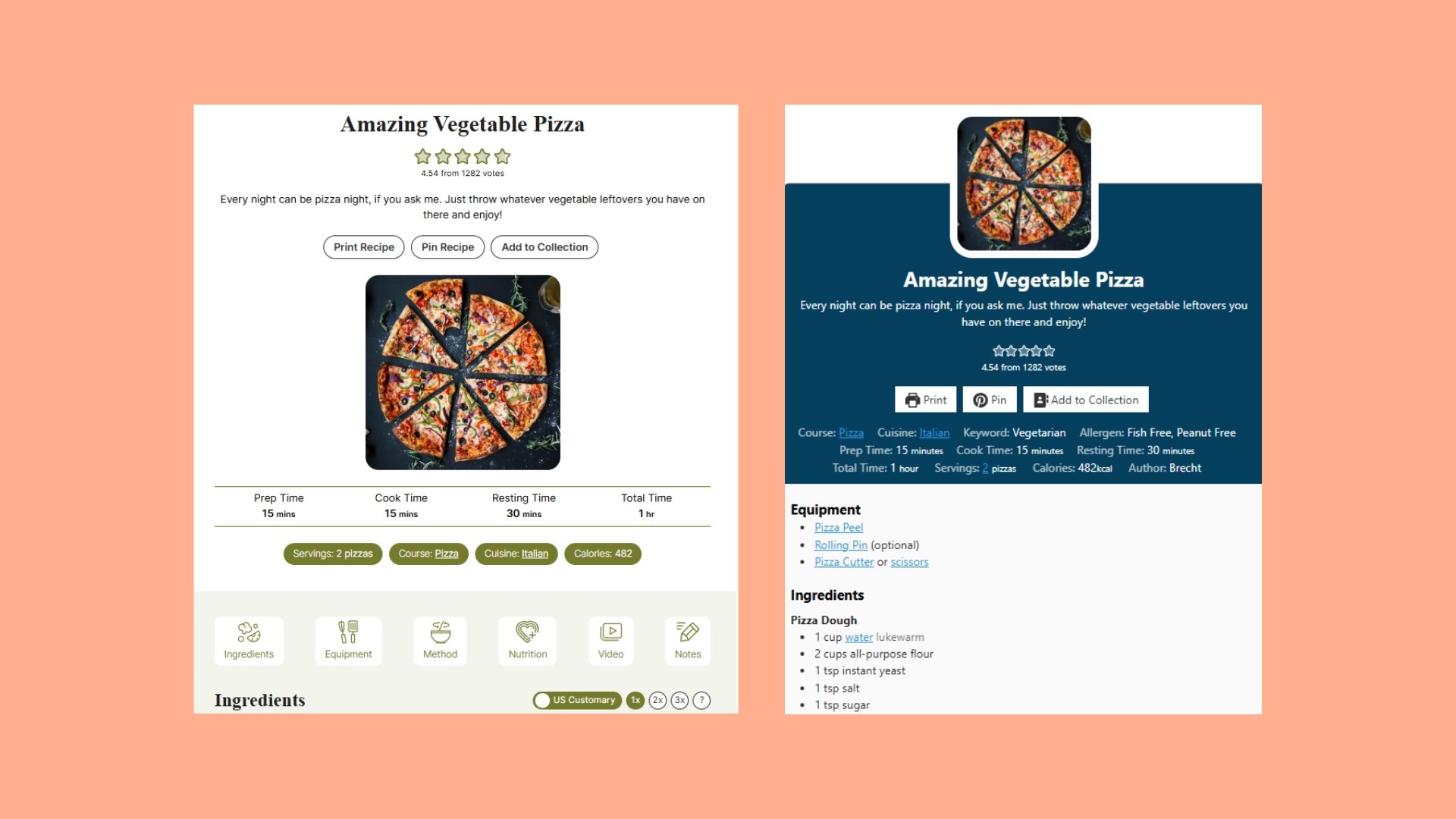
Design matters too. Out of the box, you can use modern templates like Meadow for a clean look, or dive into the Template Editor to match your fonts, colors, and layout down to the pixel. Behind the scenes, WP Recipe Maker handles global unit and temperature conversions, and even builds a site-wide affiliate system: set a product link once, and it appears wherever that ingredient or tool is used.
Performance also needs to be taken super seriously. Templates are mobile-friendly and can be paired with lazy-loading for fast load times – just aim to keep your pages under three seconds in Google’s PageSpeed Insights!
Jonas from FitTasteTic reported a 500% jump in traffic after switching to WP Recipe Maker, and Frederik at BloggerSpace sees many of his clients grow traffic by 1,000% a year with it in place.
With features designed for both beginners and power users, WP Recipe Maker is the creative foundation for turning your love of baking into a lasting blog.
7 Growth and income tactics
1. Pick a profitable niche
A baking blog niche is a focused subcategory of baking content that attracts a dedicated audience.
Examples of profitable niches include:
- Sourdough discard crackers in under 30 minutes.
- Sugar-free birthday cakes for diabetics.
- Gluten-free cookies.
- High-altitude baking.
- Holiday cake collections.
Choosing a narrow niche makes it easier to rank in search results, build authority, and keep loyal readers coming back.
WP Recipe Maker supports niche growth with:
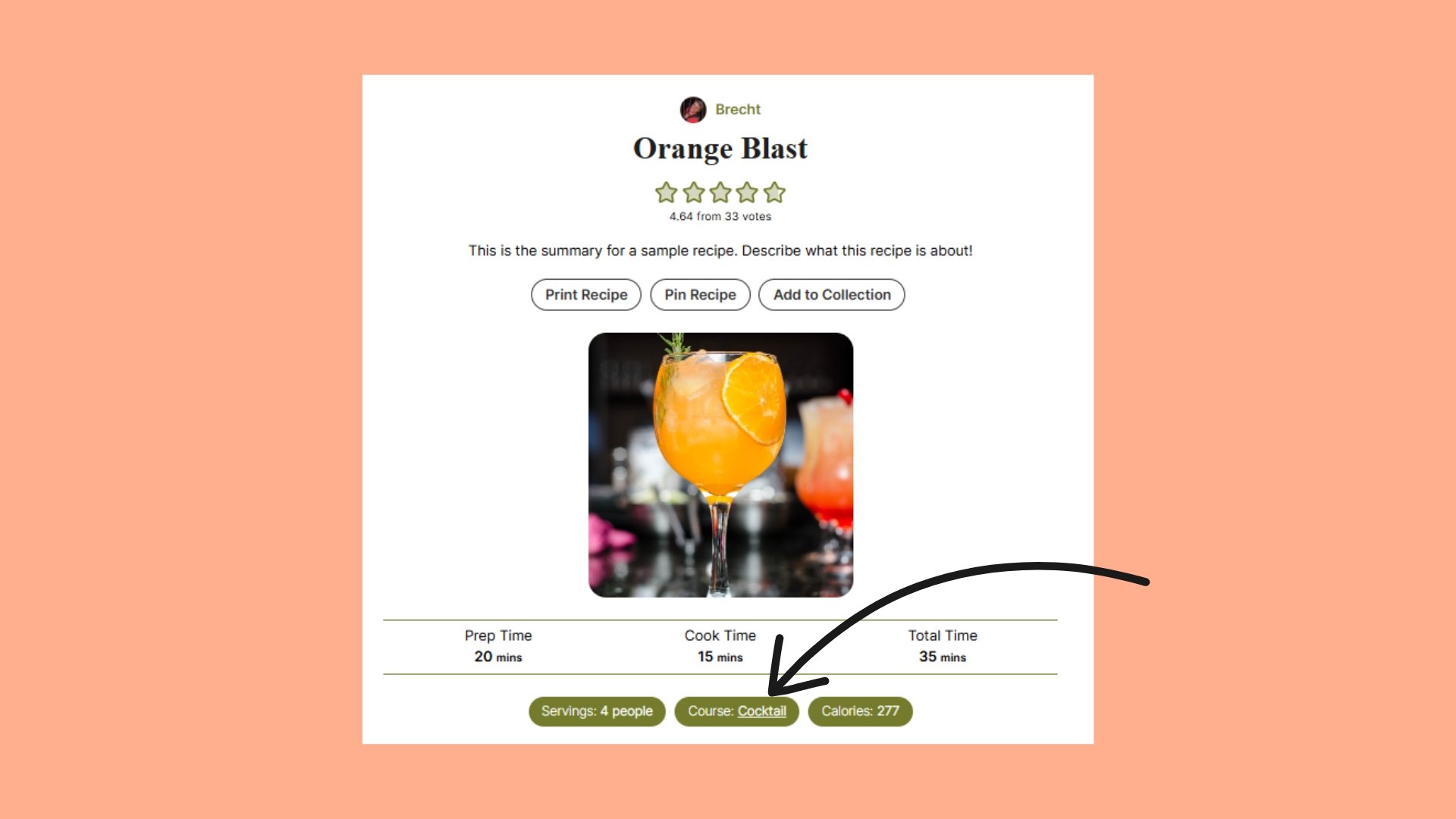
- Taxonomy filters: Organise recipes by course, cuisine, or specialty.
- Taxonomy Term Links (Premium): Automatically turn niche terms into clickable links. Direct them to archives or custom pages, and add nofollow when needed.
This creates a structured recipe library that readers can easily navigate – and Google can clearly understand – laying the foundation for long-term authority.
2. Scale SEO-friendly recipes
An SEO-friendly recipe is one that includes structured data Google can read and display as rich results.

WP Recipe Maker automatically adds JSON-LD metadata for every recipe, including:
- Ingredients and instructions
- Cook and prep times
- Servings and yields
- Nutrition information
- Ratings and media
This metadata makes recipes eligible for features like star ratings, cook times, and recipe cards in Google’s search results – without requiring any code.
You can also tag recipes with diet information (e.g., gluten-free, vegan). This helps Google match your content with readers searching for those diets.
If you want to confirm your setup, run any recipe through Google’s Rich Results Test to see exactly what search engines read.
By automating the SEO details, WP Recipe Maker frees you to focus on testing, photographing, and publishing the next recipe.
3. Speed up mobile pages
Speeding up mobile pages means reducing load time so readers don’t abandon your site before it finishes loading.
Here are some steps to improve mobile speed:
- Compress photos. Smaller file sizes load faster.
- Serve WebP images. This is a modern format that balances quality and speed.
- Use a CDN (content delivery network) to make sure images load quickly for readers worldwide (your host may already be doing, or be able to do, this for you!)
Aim for under three seconds per page load. Every second you shave off increases retention and keeps readers coming back for more recipes.
4. Use Pinterest and video
Using Pinterest and video means repurposing your recipes into visual formats that drive consistent traffic.
Some nifty tips to get you started are:
- Create three pin designs per recipe. This increases visibility on Pinterest.
- Produce 15-second video clips. Make sure they are short, shareable content for Instagram and TikTok.
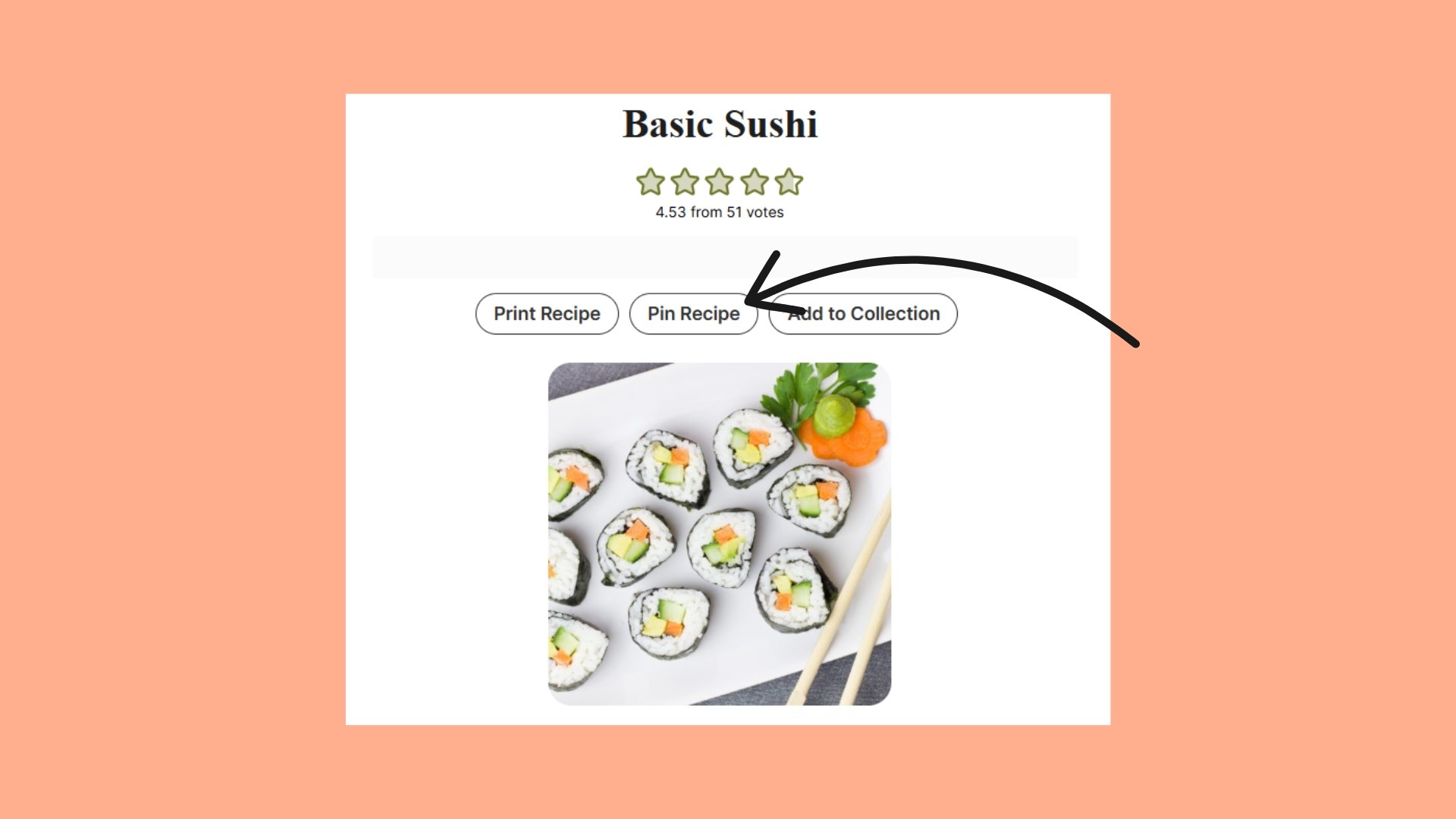
- Embed videos with WP Recipe Maker, and add reels directly into recipe cards for readers on your site. Alternatively, add a ‘Pin’ button!
This multiplies your reach across platforms without multiplying your workload – one bake can fuel multiple traffic channels.
5. Earn with ads, affiliates & products
Once your blog has traffic, you need to start earning some revenue. Display ads are the obvious starting point, but you don’t have to stop there. Simple digital products (like e-books, printable guides, or mini courses) can bring in extra income and connect you more directly with your readers.
WP Recipe Maker makes this easier by letting you drop Call-to-Action blocks right inside your recipe card via the template editor. That means you can pitch an e-book or newsletter at the exact moment someone is already engaged with your content.
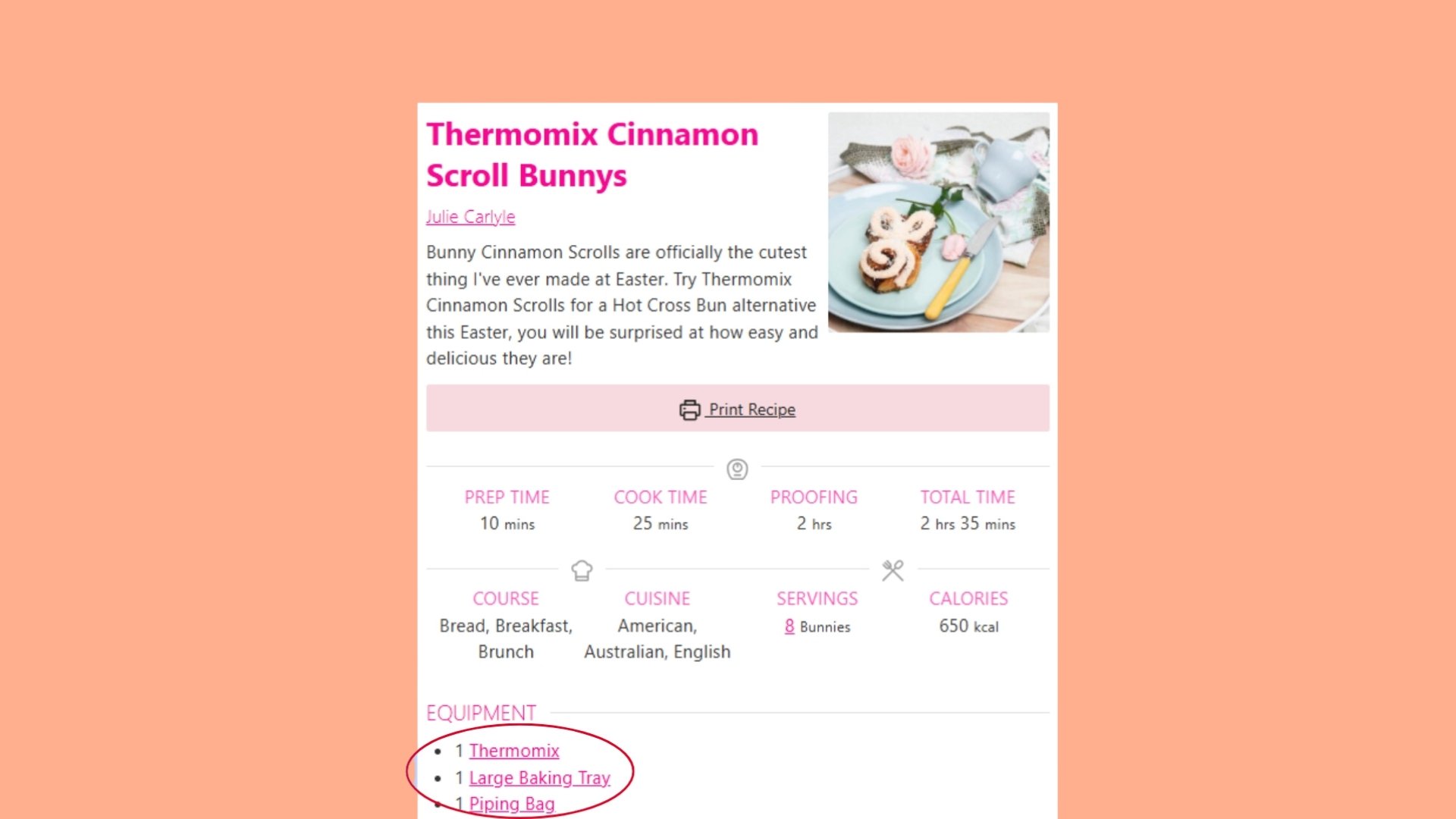
Affiliate links are just as straightforward. Add a link once for a specific ingredient or piece of equipment (say, a stand mixer), and WP Recipe Maker automatically reuses it across every recipe where that item appears. No endless copy-paste, no broken links. And because the recipe card layout is fully customizable through the Template Editor, you stay in control of where those links and ad placements appear, balancing user experience with revenue.
6. Grow your audience
Growing your audience means turning one-time visitors into loyal readers who return for every new recipe. Start with an email list and offer lead magnets bakers actually want:
- Printable conversion charts.
- Seasonal recipe collections.
- Simple baking planners or spreadsheets.
Segment subscribers by skill level to keep content relevant:
- Beginners: Quick cookie guides, basic tips.
- Advanced bakers: Sourdough schedules, lamination techniques.
Pair targeted emails with consistent posting and social sharing. Over time, you’ll build a baking community that trusts your content and keeps coming back.
7. Let data guide you
Letting data guide your blog means using analytics to decide which recipes and formats to focus on.
Check Google Search Console once a month and note which recipes get the most impressions and clicks. WP Recipe Maker also includes built-in analytics, giving you insight into which recipes are performing well directly within your dashboard. This feature helps you track views, ratings, and more, so you can optimize your content for even better results.
Examples of data-driven decisions:
- If gluten-free brownies outperform sourdough loaves, then publish more gluten-free recipes.
- If step-by-step photo guides beat plain text, invest in more photo-driven content.
Treat these numbers as feedback from your readers. By doubling down on what already works, you grow faster and avoid wasting energy on recipes that don’t gain traction.
Bake the future you want
A successful baking blog isn’t built overnight. It’s built one recipe at a time – shared, photographed, and published with care. Ten recipes become fifty, and before long, you’ve created a library people trust, bookmark, and return to again and again.
The toughest part isn’t the baking, it’s making your recipes look professional, show up in Google, and actually support your goals. With WP Recipe Maker, it handles the behind-the-scenes work (schema, conversions, affiliate links, recipe management) so you can stay focused on the fun part: the baking!
If you’ve been waiting for a sign to get started, this is it. Don’t overthink your first recipe. Publish it, share it, and let WP Recipe Maker give it the polish and performance it deserves.
Get WP Recipe Maker today and start building the baking blog you’ve been dreaming about.