
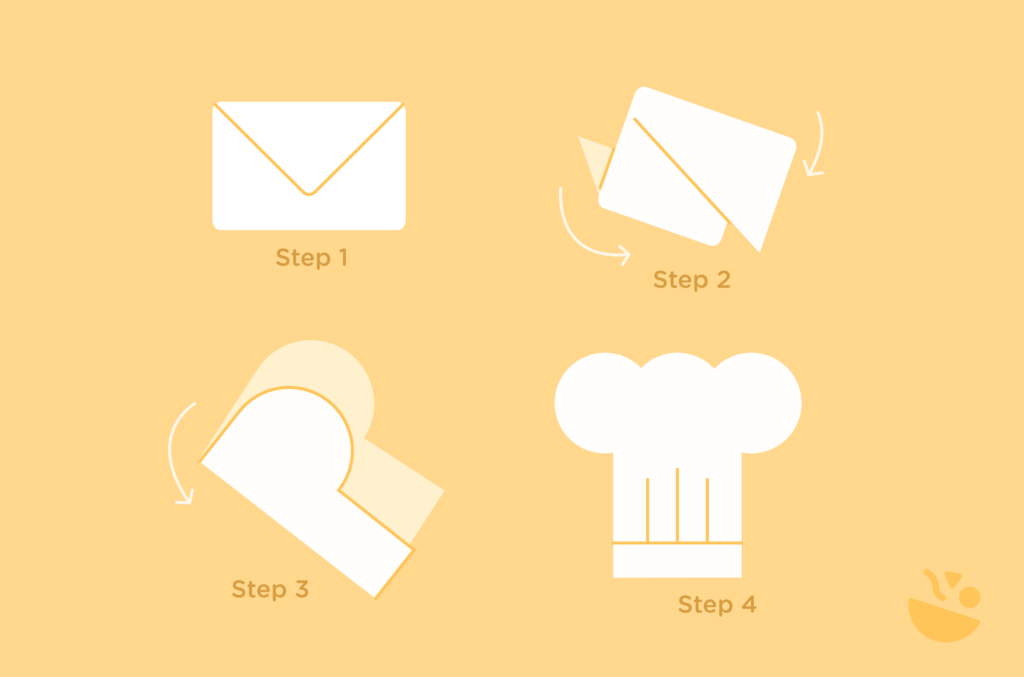
We’ve all subscribed to a dozen (or more) newsletters. And while our inboxes might be flooded with daily recipes, tips, and meal inspiration, let’s be totally honest here: how many of those newsletters turn into meals?
What’s the trick to making sure your newsletters don’t just get saved, but actually get used? The secret lies in making the transition from inbox to kitchen simple. And that’s exactly what WP Recipe Maker’s Recipe Collections do. They help your readers easily cook what they see.
Let’s look into what makes a good recipe newsletter and how you can set yours up!
1. What makes a good recipe newsletter?
The best newsletters help readers get dinner on the table. Here’s what to focus on:
Timing & frequency
Send when people are planning meals or shopping. Landing in the inbox at the right time makes your recipes far more useful. A consistent weekly schedule also helps readers build a habit around your emails without overwhelming them.
Content formula
Keep things simple with 3–5 recipes per edition. That’s enough variety to inspire, without creating choice overload. A good mix could include:
- Two quick weeknight dinners.
- One weekend project.
- One dessert.
- One meal prep recipe.
Keep an eye on clicks to see what resonates – too many options can spread attention thin.
Theme coherence
Anchor each newsletter around a specific problem like “Budget Meals Under $15” or “30-Minute Dinners.” Recipes that share some ingredients make shopping easier and increase the chances that readers will cook more than one dish.
Mobile-first design
Most readers will skim on their phones. Keep it scannable, actionable, and easy to view on any device: Short previews, one-click saves, and shopping list links. Leave longer stories for your blog, where they’ll boost SEO and ad revenue.
2. How to make sure your newsletters get people cooking
Build an experience
Every extra step between your email and the kitchen loses readers. Instead of linking to a single recipe and hoping they’ll figure it out, send them to a full collection they can save with a click. With WP Recipe Maker, that collection can instantly generate a shopping list. For example, instead of five separate links, bundle “3 Easy Weeknight Dinners” into one link that drops directly into a reader’s saved plan.
Track engagement
Forget relying on open rates. Look at actions that prove cooking intent:
- How many readers save a recipe or collection?
- How many generate a shopping list?
- How many print or rate a recipe?
You can set up Google Analytics 4 events for all of these. For instance, track how many people who opened your “Quick Pasta Night” email saved the whole pasta collection. That data tells you what content is worth repeating.
Set success benchmarks
Numbers make progress real. Start by defining your baseline: maybe 20% of readers who save recipes create a shopping list within a week. Aim to raise that by crafting collections with overlapping ingredients (so one list covers multiple meals). Keep an eye on which recipes spark ratings or comments; that’s a signal those recipes aren’t just being saved, they’re being cooked.
Use collections for smarter segments
Collections also let you personalize without guessing. If a subscriber saves three vegan collections, move them into your plant-based segment automatically. Someone who saves every dessert collection? Send them a special “Weekend Baking” edition. Over time, you’ll stop sending generic content and start sending emails that match exactly what people want to cook.
3. How to start your recipe newsletter
Choose the platform
When you’ve thought about exactly what you want to include in your newsletter, you need to choose the best platform to publish it. If you want automation and integrations, Kit (formerly ConvertKit) or ActiveCampaign are pretty solid picks – they let you auto-populate newsletters from your website, set up workflows, and tag subscribers automatically.
If you prefer something simple and straightforward that you can get started on right away, Substack is a great choice. It’s easy to set up, lets you schedule posts, and works well for sharing recipes with minimal hassle. However, keep in mind that automation is limited compared to full marketing suites. Along with this, if your food blog is hosted on another platform like WordPress, using Substack for newsletters means you’re splitting your efforts across two domains. This could limit the opportunity to build more organic traffic for your main site, so it’s best to keep everything on the same platform if possible.
⚡Expert tip: Test every step exactly like your readers would. Click all links, save collections, generate shopping lists, and check images. Fix anything that doesn’t work before scaling. Once you’re confident, you can scale up, add affiliate links or shoppable ingredients, and consider premium tiers or brand partnerships. Collect data along the way so you can refine your approach and create newsletters that are both useful and irresistible!
Use WP Recipe Maker
Whatever platform you choose, WP Recipe Maker will help you make your newsletter actionable:
- Recipe Collections: Group multiple recipes into themed meal plans like “5 Quick Weeknight Dinners” or “Sunday Meal Prep Marathon.” Each collection generates a unique URL so readers can save the whole bundle in one click.
- Automatic shopping lists: On the Elite plan, ingredients consolidate automatically. “1 cup milk” from one recipe and “1.5 cups milk” from another merge into “2.5 cups milk.” Readers get one clean list to shop from.
- Structured data advantage: Every recipe outputs schema.org JSON-LD for SEO and is available via the WordPress REST API. That means you can push recipe data directly into your email platform or RSS feed.
- Integration capabilities: Connect with Chicory, Instacart, or Walmart so readers can send ingredients straight to a retailer’s cart for pickup or delivery. Track clicks in GA4 and monitor which products convert best.
If you’re using WordPress with an email platform that integrates with it, WP Recipe Maker can supplement your efforts by helping streamline recipe delivery, shopping list creation, and user engagement through Recipe Collections!
Bloggers already using WP Recipe Maker
Sometimes the best way to learn is by seeing it in action. Here are a few examples from the WP Recipe Maker community that do exactly that:
FitTasteTic
FitTasteTic newsletter sign-up page
Jonas Zeschke uses WP Recipe Maker to power his weekly newsletters with FitTasteTic, bundling recipes into collections and including automated shopping lists. Readers know exactly what they need for the week, and the collections make it easy to plan and cook multiple meals without thinking.
ThermoKitchen

Julie’s newsletter uses WP Recipe Maker to send structured recipes with shoppable ingredient links from her ThermoKitchen site. She combines clear, themed collections with concise instructions, making weeknight cooking approachable for busy families.
The Pretty Bee

The Pretty Bee is a newsletter that focuses on seasonal and accessible recipes, using WP Recipe Maker to create collections that readers can save directly from the email. Automated shopping lists help readers shop efficiently, while interactive features like adjustable servings make cooking easier.
Initial setup steps for WP Recipe Maker
Start small and test your full workflow before going big. Here’s how:
- Install WP Recipe Maker
Check out the different plans to find out which one is best for your needs. The Elite plan unlocks advanced features like Recipe Collections and automatic shoppable lists, offering even more ways to enhance your newsletter and engage your readers.

- Build a themed collection
Create a simple starter collection of about five recipes that share ingredients. For example, “Easy Weeknight Pasta” might include spaghetti, lasagna, and baked ziti – overlapping ingredients make the shopping list shorter and easier to follow. - Connect your email platform
Configure your ESP (like Mailchimp, ConvertKit, or others) to pull your WordPress posts via RSS or a connector. Set up templates so that recipe cards, images, and collection links from your posts automatically appear in your newsletters, linking back to the full recipe or print page. Note that Substack does not natively pull from WordPress, so you’ll need to manually link to your recipe content. - Test everything
Don’t skip this step. Click every link the way a subscriber would: save a collection, generate the shopping list, try shoppable integrations. Fix any broken steps before you send it to a bigger audience. - Run a pilot
Send your first collection to a test group of 50-100 subscribers. Collect feedback on whether the shopping list worked, if the links felt intuitive, and which recipes they cooked. - Monetize smartly
Once the basics run smoothly, add affiliate links for equipment or ingredients, and enable the Instacart “Shop” integration so readers can add everything to their cart in one click. Later, consider a $5-10/month premium tier for exclusive collections or personalized dietary options. - Track and refine
Use GA4 events and UTM-tagged links to see which collections and shoppable links perform best. Partner with brands once you know which products resonate with your readers.
Launch your click-to-cook newsletter
Recipe newsletters have the power to outperform standalone blogs by creating touchpoints with subscribers who actively choose to receive your content. Unlike passive blog posts, a well-crafted newsletter can turn inspiration into action, helping readers get real meals on the table.
Track actions tied to cooking (like saved collections or generated shopping lists) and refine your approach over time. Using overlapping ingredients across recipes can make shopping easier and increase the likelihood that readers cook multiple meals from a single newsletter.
Plugins like WP Recipe Maker can help make this process even better. Its Recipe Collections feature lets readers save an entire week’s worth of recipes with one click and automatically generate consolidated shopping lists. Structured data and integrations further streamline the workflow, making it easier to manage your newsletter while giving readers practical tools they can use immediately.
Ready to turn your newsletters into dinners? Get WP Recipe Maker today and start creating newsletters that your readers will actually read and follow!