
We just released the very best version of WP Recipe Maker up until today: version 10.9.0 Read on for the highlights and a full changelog or update right away!
WPRM Kitchen Integration
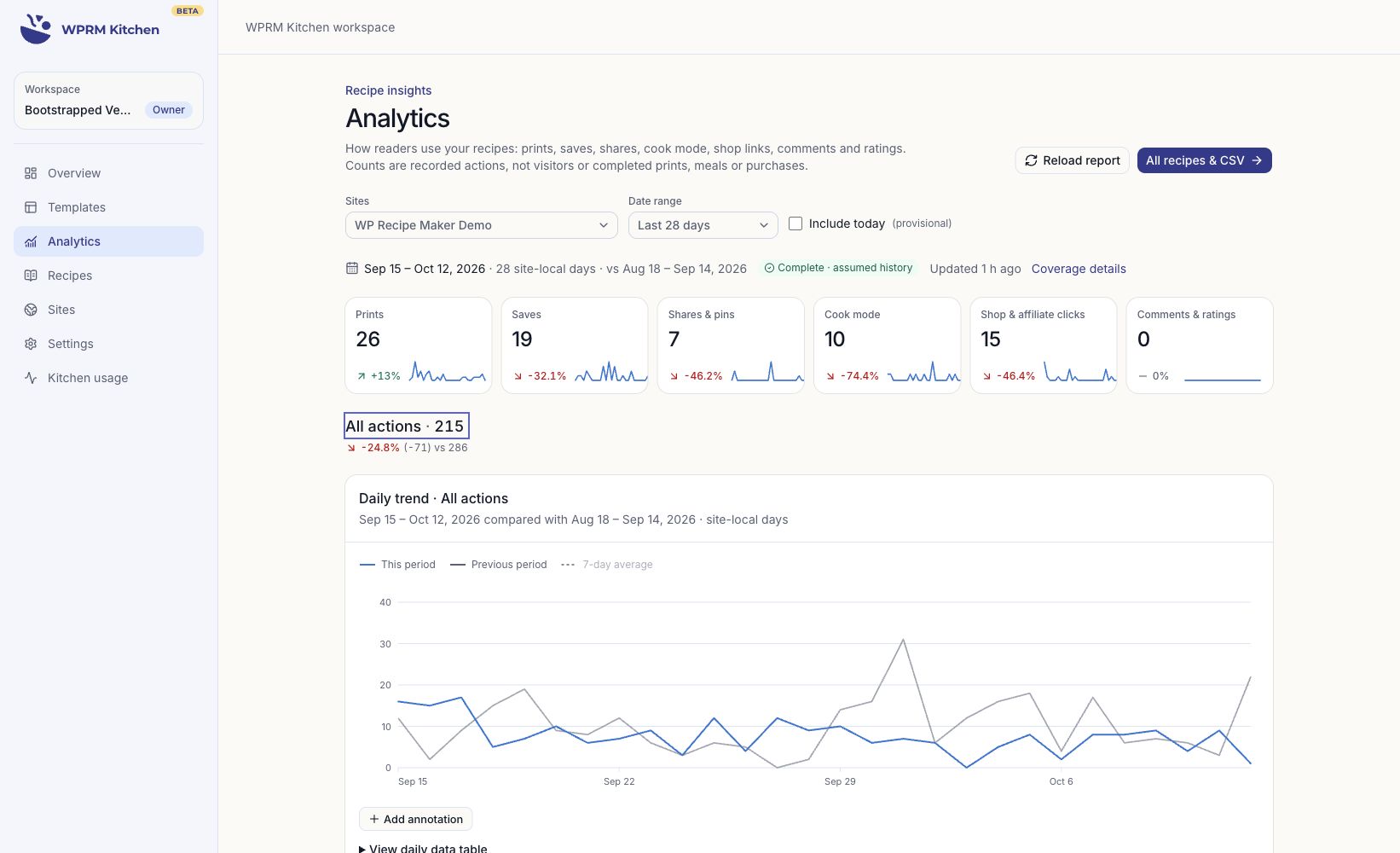
WPRM Kitchen gives you a new way to work with your recipes beyond the WordPress dashboard. Browse your recipe library, discover new recipe card designs, and see how readers interact with your recipes, all in one workspace.
For example, you could find a recipe in your library, try a fresh design for your recipe cards, or see which recipes readers print most often.
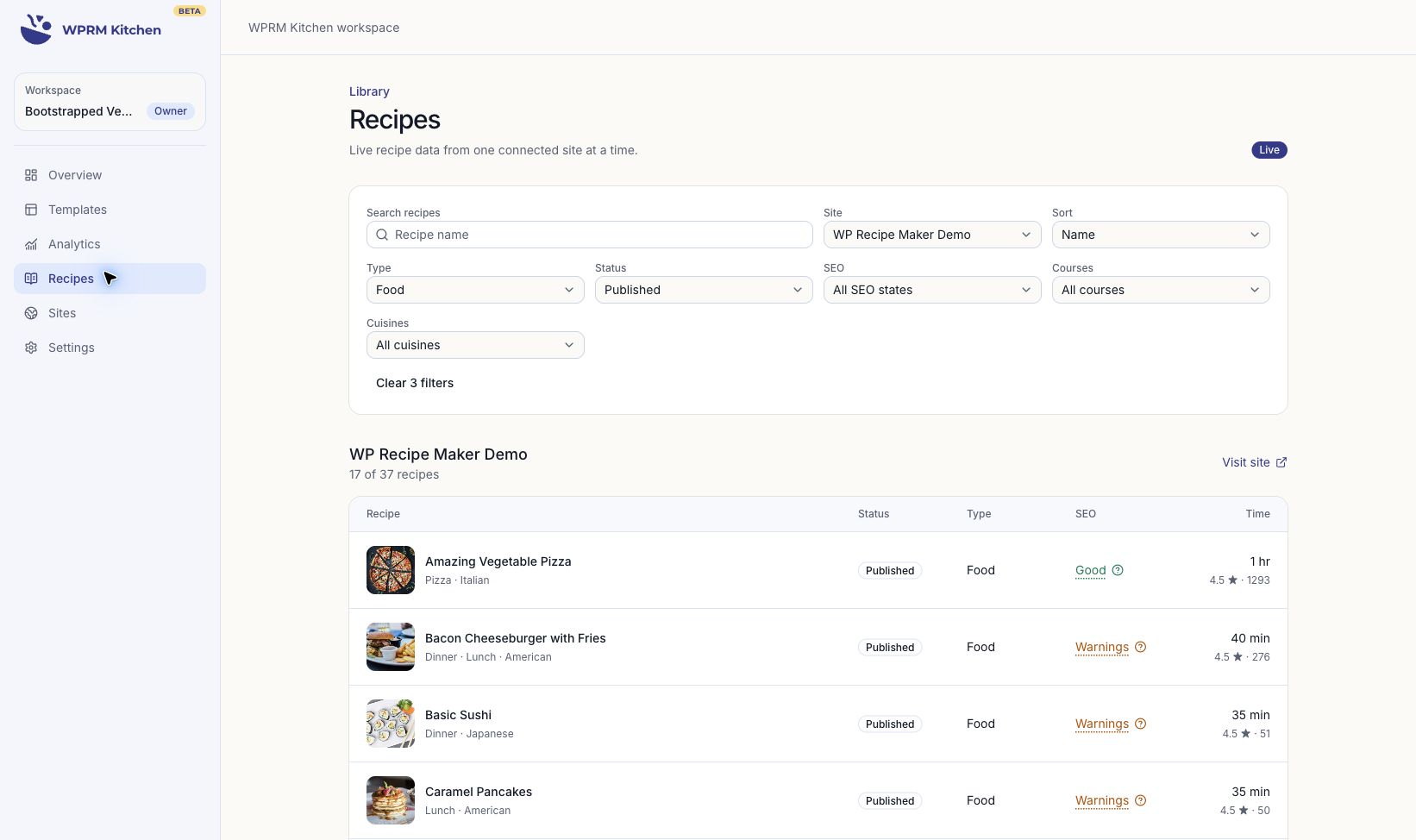
If you manage multiple food blogs, you can connect them to the same workspace as well. That lets you browse recipes and compare reader interactions across your sites without switching between WordPress dashboards.
Kitchen also gives you a place to save versions of your own templates. Templates installed on your site remain editable through the WP Recipe Maker Template Editor, so you can keep adjusting them to fit your blog.
To get started, go to the WP Recipe Maker > Settings in your WordPress backend and connect your site to a Kitchen workspace in the Backend > WPRM Kitchen section. You can connect additional sites to that same workspace as well.
The connection is available in the free plugin, while access to recipes and reader analytics requires WP Recipe Maker Premium. You do not need to share your WordPress password, and you can disconnect your site at any time.
WPRM Kitchen is currently in beta. We’d love to hear how you use it and what would make it more useful for your workflow!
5 new Premium Templates
Looking for a fresh look for your recipe cards? We’re introducing five new designs for our paid customers: Atelier, Citrus, Gallery, Matcha, and Nordic.
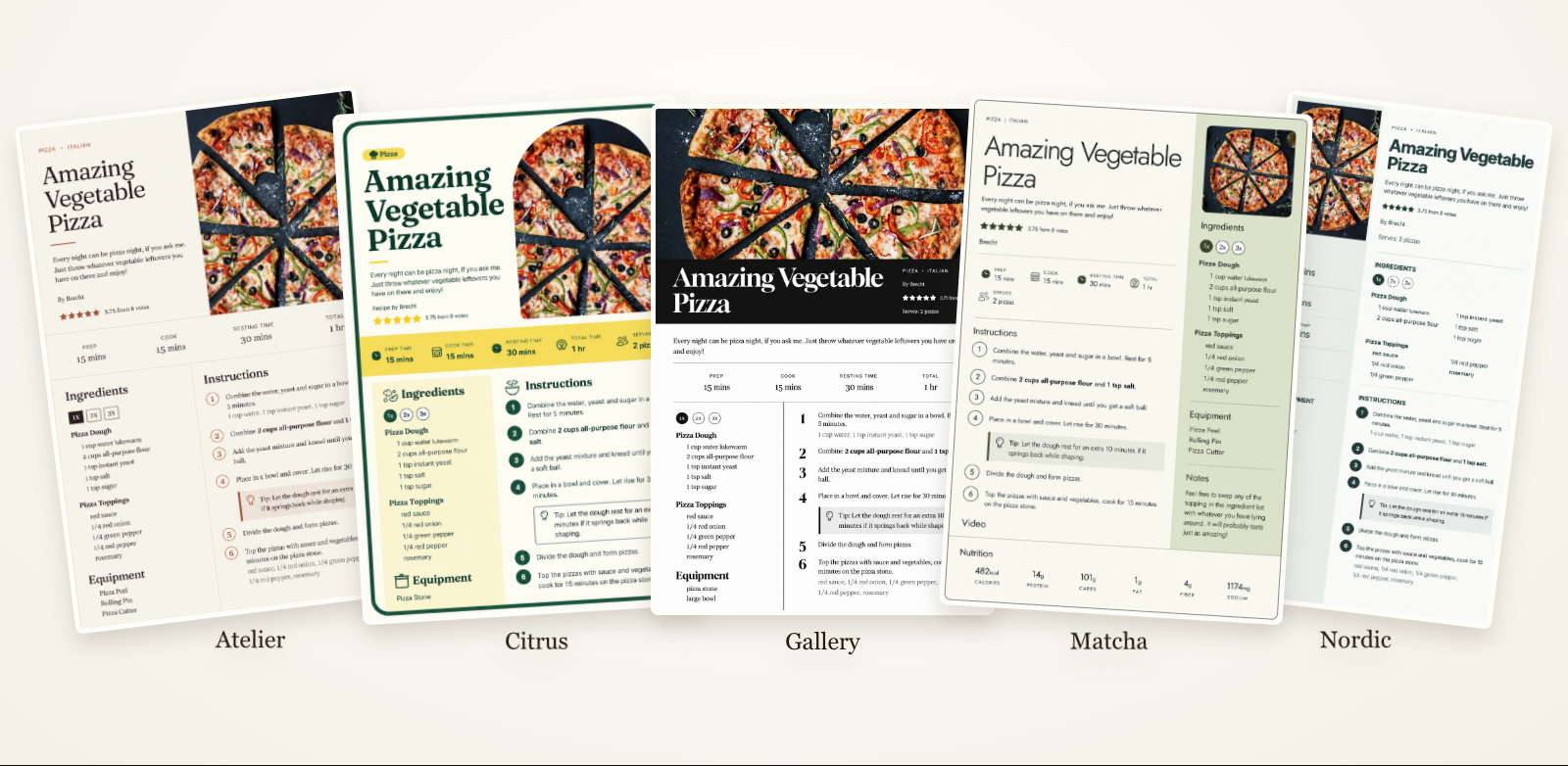
There’s quite a bit of variety in this selection. Atelier uses warm paper tones and serif typography, Citrus adds bright yellow accents, and Gallery pairs a wide recipe image with a black and white design. Matcha uses soft greens and rounded corners, while Nordic offers a clean layout with subtle green accents.
Like our other modern templates, these designs are built with WP Recipe Maker’s own Template Editor. You can use them as a starting point and customize the colors, fonts, buttons, and layout to match your website.
Browse the new designs in WPRM Kitchen’s template catalog and install an editable copy on your connected site.
Independent Nutrition Servings
The amount a recipe makes isn’t always the amount someone eats in one portion.
For example, you might want your recipe card to show that a recipe makes 1 cake, while the nutrition facts describe 1 slice out of 12. Until now, using the same serving count for both made that harder to express.
The new Nutrition Servings field lets you set the number of nutritional portions separately from the recipe’s displayed yield. You’ll find it in the Nutrition section when editing a recipe.
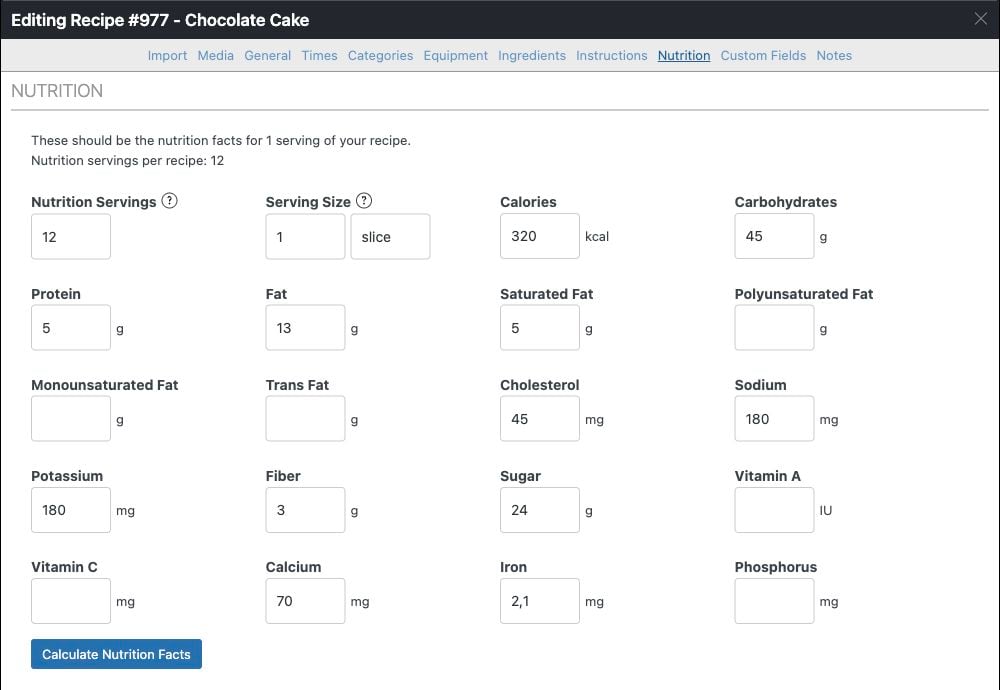
For that cake, keep the servings under General set to 1 cake, enter 12 for Nutrition Servings, and set the nutritional serving size to 1 slice. When calculating nutrition, the ingredient totals are divided by 12 to get the values for one slice.
Ingredient scaling still follows the recipe yield. If a reader changes the recipe to make 2 cakes, the ingredients double and the recipe represents 24 slices, while the nutrition facts per slice stay the same.
This is useful for bread, sauces, dressings, and other recipes where you want to describe the total yield differently from a nutritional portion. Full nutrition labels can also show the number of portions per recipe.
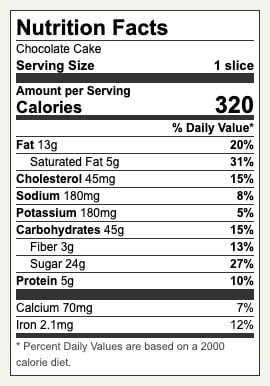
Changing Nutrition Servings does not automatically recalculate existing nutrition facts. Recalculate them after changing the count, or review any values you’ve entered manually. Leave the field empty to continue using the recipe’s regular servings.
Full Changelog
We highlighted just a few of the new features/improvements/fixes above. Below you can find the other changes in version 10.9.0. Check out our documentation for a full history.
WP Recipe Maker Premium 10.9.0
- Feature: Set nutrition servings separately from recipe yield
- Feature: Associate equipment with instruction steps in Cook Mode
- Improvement: Allow converted units after ingredient names or notes
- Improvement: Round advanced adjustable serving pan sizes to practical dimensions
- Improvement: Decouple Free and Premium JavaScript runtimes
- Improvement: Add quantity buttons to the product add-to-cart modal
- Fix: Collections access for unpublished recipes with public parents
- Fix: Match split ingredient pluralisation to rounded quantities
- Fix: Keep Cook Mode focus visible
- Fix: Prevent close button shrinking in Cook Mode
WP Recipe Maker 10.9.0
- Feature: WPRM Kitchen Integration
- Feature: Video creator and interaction statistics metadata
- Feature: GRO Save to Email block
- Improvement: Include author URL in recipe metadata
- Improvement: Track Google Preferred Sources button clicks
- Improvement: Add video metadata refresh diagnostics
- Improvement: Avoid unnecessary rich text updates when selecting text
- Improvement: Compatibility with Public Post Preview for unpublished recipes
- Improvement: Update Hubbub Pinterest integration with legacy compatibility
- Improvement: Actionable SEO Metadata Checker
- Improvement: Equipment note parsing settings
- Improvement: Extra bundled fonts for the template editor
- Improvement: Printing workaround for Facebook’s in-app browser
- Fix: Amazon Creators API notice dismissal
- Fix: Recipe schema publication timezone
- Fix: Debounce and serialize admin recipe searches
- Fix: Preserve inherited Divi 5 button padding in Visual Builder
- Fix: Honor unpublished recipe print permissions
- Fix: Prevent print page caching
- Fix: Prevent themes from breaking comment star clicks
- Fix: Omit empty author, description, image and ingredient values from recipe metadata
- Fix: Public recipe context for print and PDF
- Fix: Incorrectly showing some notices
Updating should be possible through the Plugins page in your own WordPress backend. If there are any issues, check out our documentation on updating WP Recipe Maker.