
We just released the very best version of WP Recipe Maker up until today: version 10.8.0 Read on for the highlights and a full changelog or update right away!
Display Recipe Analytics in Your Recipe Card
WP Recipe Maker can already track how visitors interact with your recipes. With the new Recipe Analytics shortcode, you can now display those numbers directly inside your recipe card template.
For example, you could show that a recipe has been printed 1,250 times, saved to favorites by 300 readers, or opened in Cook Mode hundreds of times. These numbers can provide useful social proof and give visitors another indication that a recipe is worth trying.
The shortcode gives you control over which interaction to display, whether to count all interactions or unique visitors, and how many days of data to include. You can also customize the surrounding text or automatically hide the shortcode when the count is still zero.
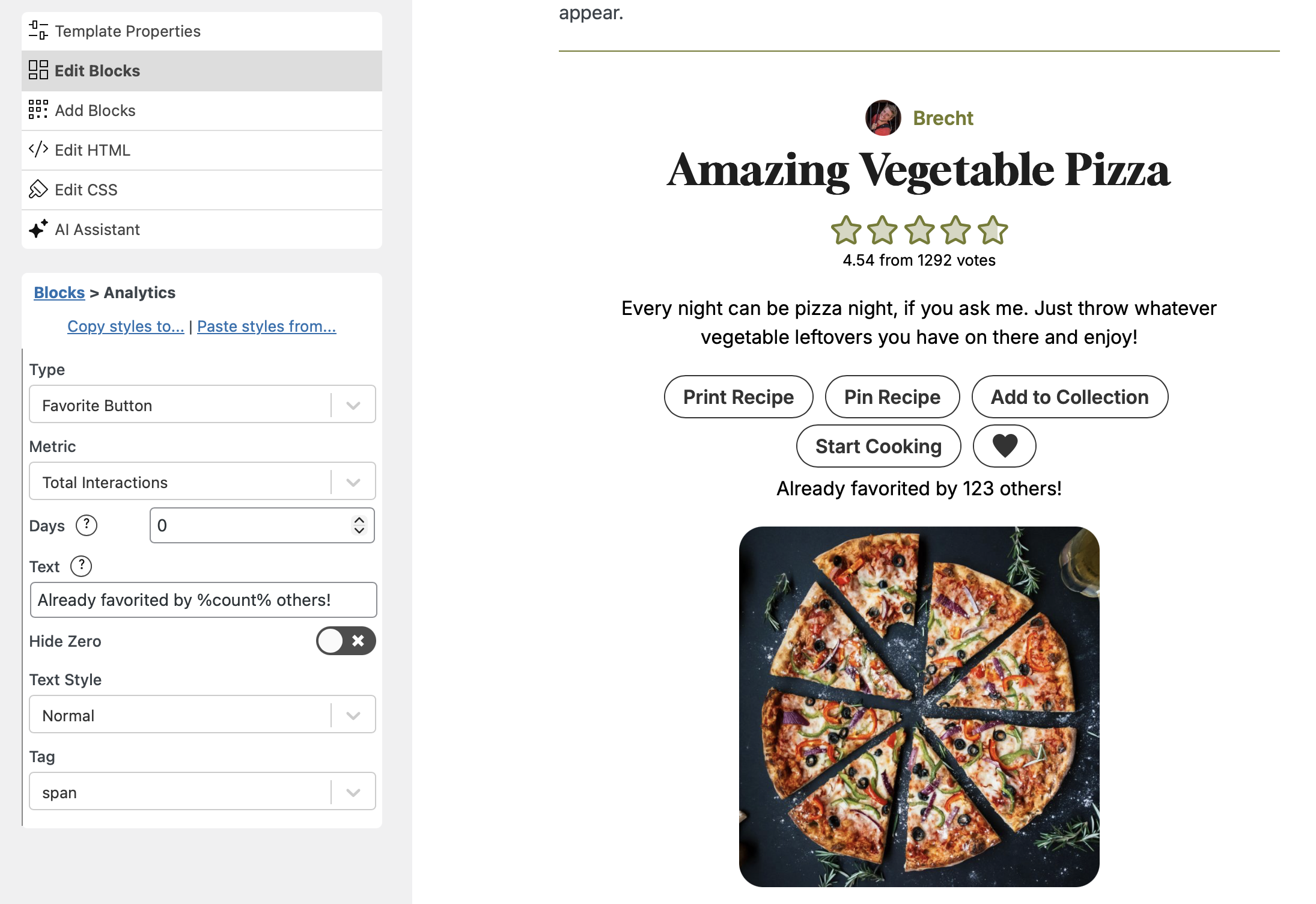
Because this is a regular WP Recipe Maker shortcode, you can add and style it through the Template Editor just like the other elements in your recipe card.
Keep Saved Recipes Better Organized
The built-in Inbox collection makes it easy for visitors to save recipes without first deciding exactly where they belong. Over time, however, that inbox can become difficult to organize.
WP Recipe Maker 10.8.0 introduces a new “Needs organizing” filter. It shows the recipes in the Inbox that have not yet been added to one of the visitor’s own collections. These recipes also receive a clear “Not in a collection” label, making it easy to see which ones still need attention.
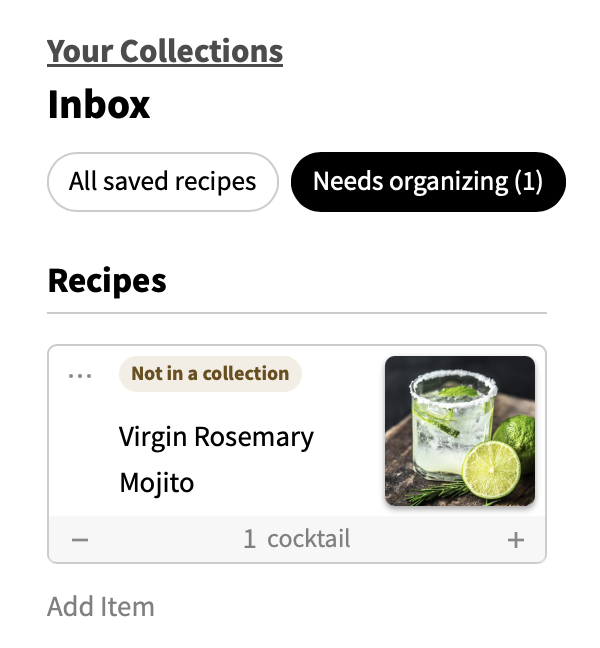
“Saved Recipe Organization” can be enabled on the WP Recipe Maker > Settings > Collection Functionality page.
Once a visitor decides where a recipe belongs, they can now move it directly to another collection. They can choose the destination collection, column, and group without manually removing and adding the recipe again.
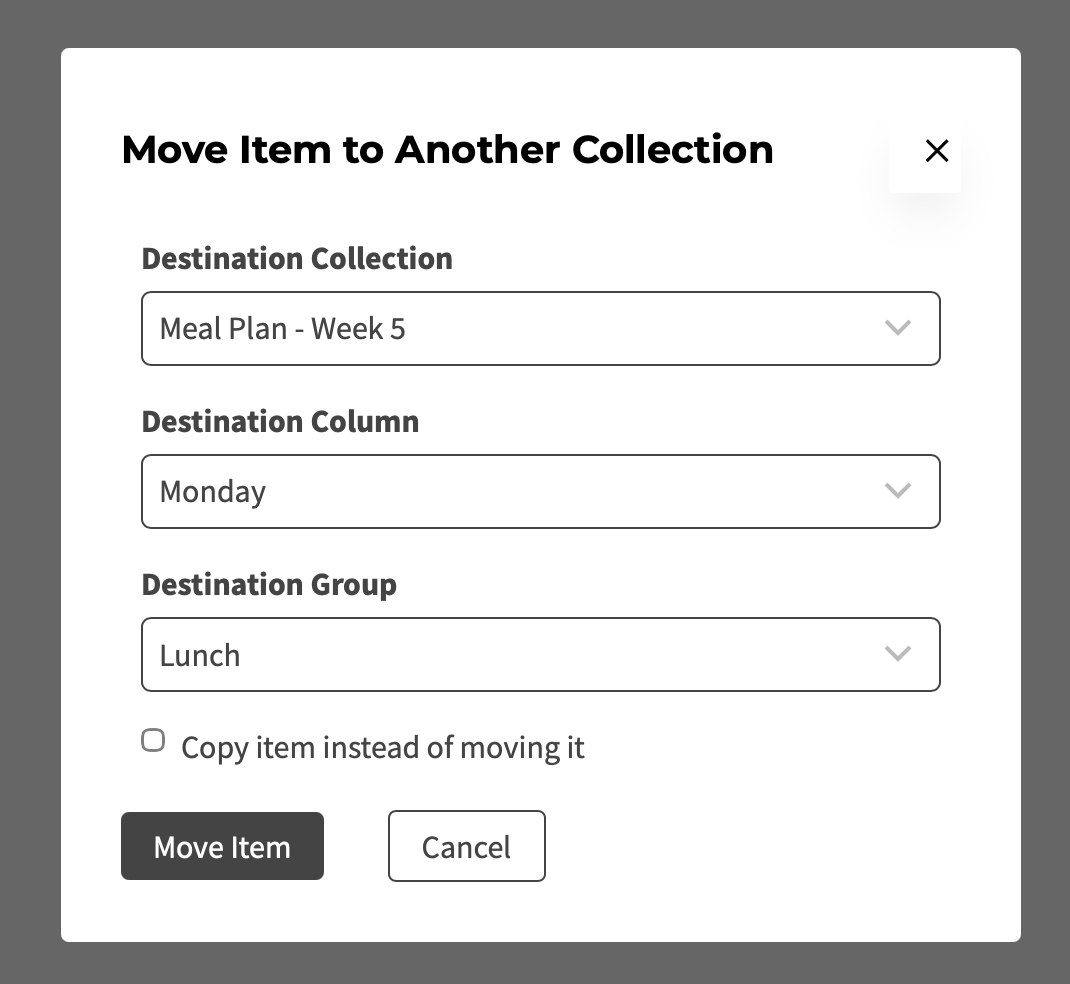
There is also an option to copy the item instead of moving it, which is useful when the same recipe belongs in multiple collections—for example, both “Quick Weeknight Meals” and “Family Favorites.”
More Control Over Shopping List Generation
Not every recipe or item in a collection needs to be included every time a shopping list is generated.
This update makes it much easier for visitors to choose exactly what they want to shop for. Individual recipes and other collection items can now be included or excluded using clear selection controls before generating the shopping list.
That means someone could plan an entire week of meals in one collection but generate a shopping list for only the first few days. Custom ingredients, leftovers, and notes can be selected as well, while the existing serving amounts remain unchanged.
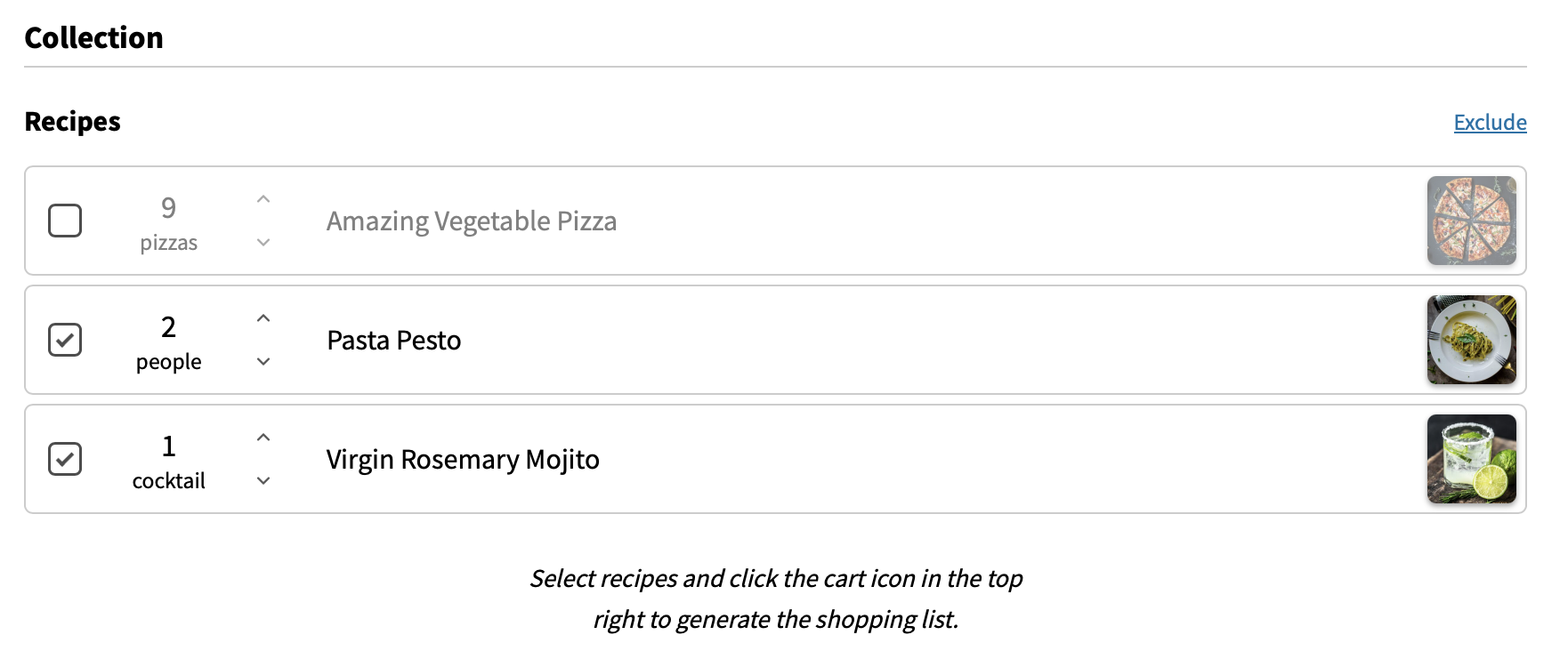
Quick Include and Exclude controls make it convenient to start with everything or nothing and then adjust the individual items as needed.
Instruction Image Tooltips
Instruction images are great for showing readers what a specific step, texture, or stage of the recipe should look like. Sometimes, however, an image needs a little extra explanation.
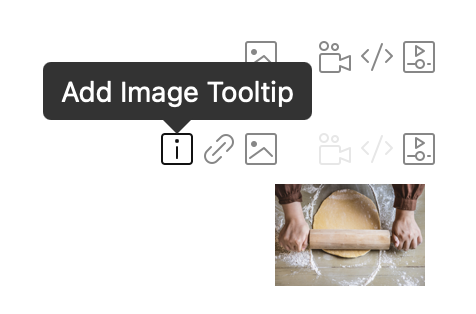
WP Recipe Maker Premium 10.8.0 adds the option to attach a tooltip to an instruction image. Readers can reveal this extra text by hovering over or focusing on the image.
You could use this to explain that a mixture should look slightly lumpy, point out the desired level of browning, or clarify a detail that is easier to understand when looking at the image.
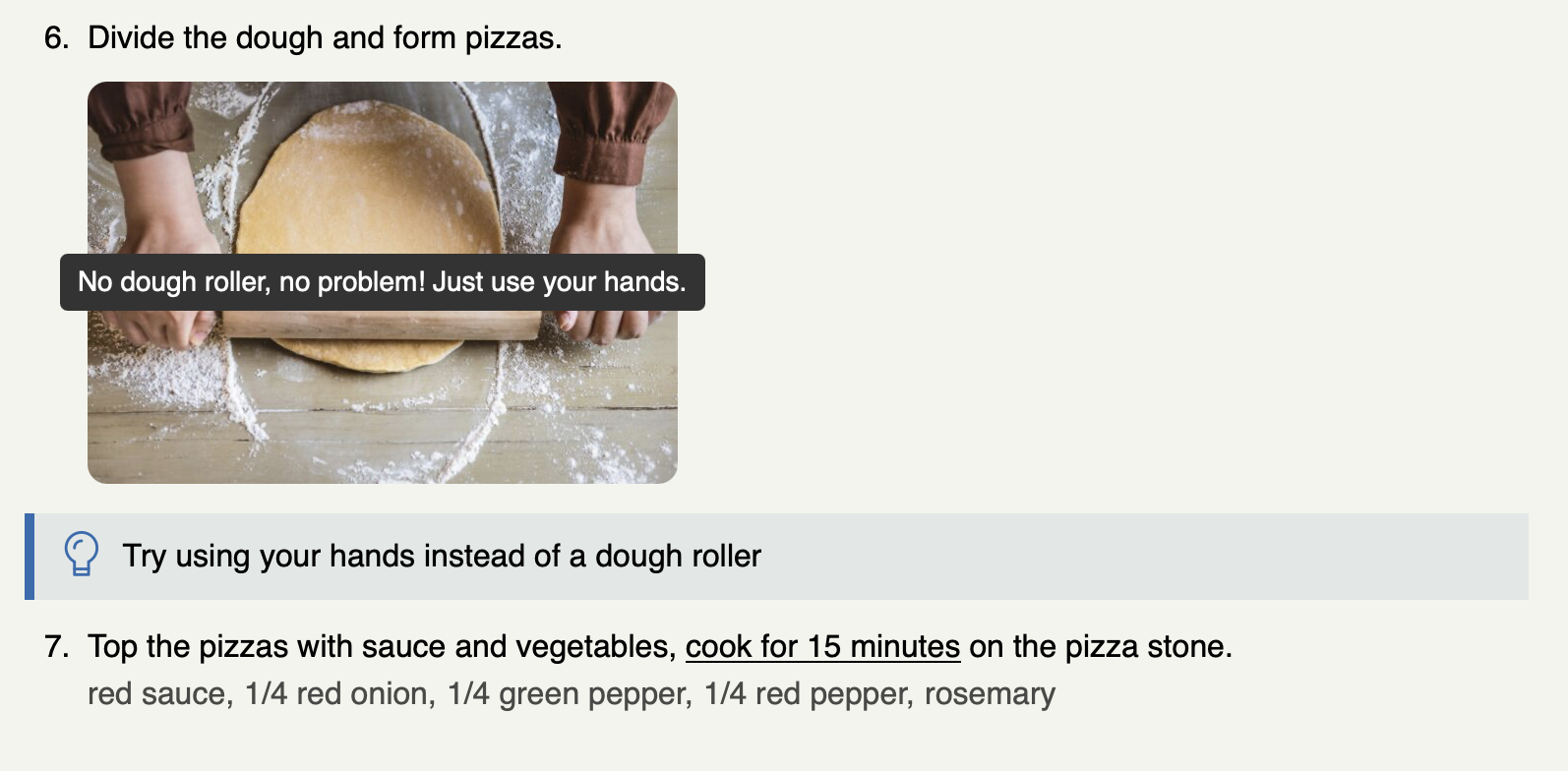
The additional context stays close to the relevant image without making the main instruction text longer or more difficult to scan.
Full Changelog
We highlighted just a few of the new features/improvements/fixes above. Below you can find the other changes in version 10.8.0. Check out our documentation for a full history.
WP Recipe Maker Premium 10.8.0
- Feature: Instruction image tooltips
- Feature: Action to move item to different collection
- Feature: Show recipes in inbox collection that haven’t been organized yet
- Feature: Easier to exclude certain items from shopping list
- Improvement: Do not store empty favorites list
- Fix: Adjustable servings input field typing issue
- Fix: Ingredient singular/plural preview in backend
- Fix: Shopping list generation for favorites collection
- Improvement: Consistency of “Go Back” URL when printing collections
WP Recipe Maker 10.8.0
- Feature: Recipe Analytics shortcode
- Improvement: Sortable Total column on manage page
- Improvement: Edit roundup edit button in sidebar
- Improvement: Better WPML compatibility for custom term fields and roundup blocks
- Fix: Typing lag in import from text field
- Fix: Prevent missing styles when only loading assets when needed
- Fix: Manage page loading issue with 20.000+ recipes
- Fix: Glossary terms tooltip when using faded ingredient notes
Updating should be possible through the Plugins page in your own WordPress backend. If there are any issues, check out our documentation on updating WP Recipe Maker.