
We just released the very best version of WP Recipe Maker up until today: version 10.6.0 Read on for the highlights and a full changelog or update right away!
Import Recipes from CSV
WP Recipe Maker 10.6.0 introduces a new CSV import feature, making it easier to bring recipe data into WP Recipe Maker in bulk.
This is especially useful if you have recipes stored in a spreadsheet, are moving over from a custom setup, or want a more flexible way to prepare recipe data before adding it to your WordPress site.
Instead of manually creating every recipe one by one, you can now upload a CSV file and map the columns to the recipe fields WP Recipe Maker understands. That gives you more control over the import process while still ending up with properly structured recipes inside your WordPress dashboard.
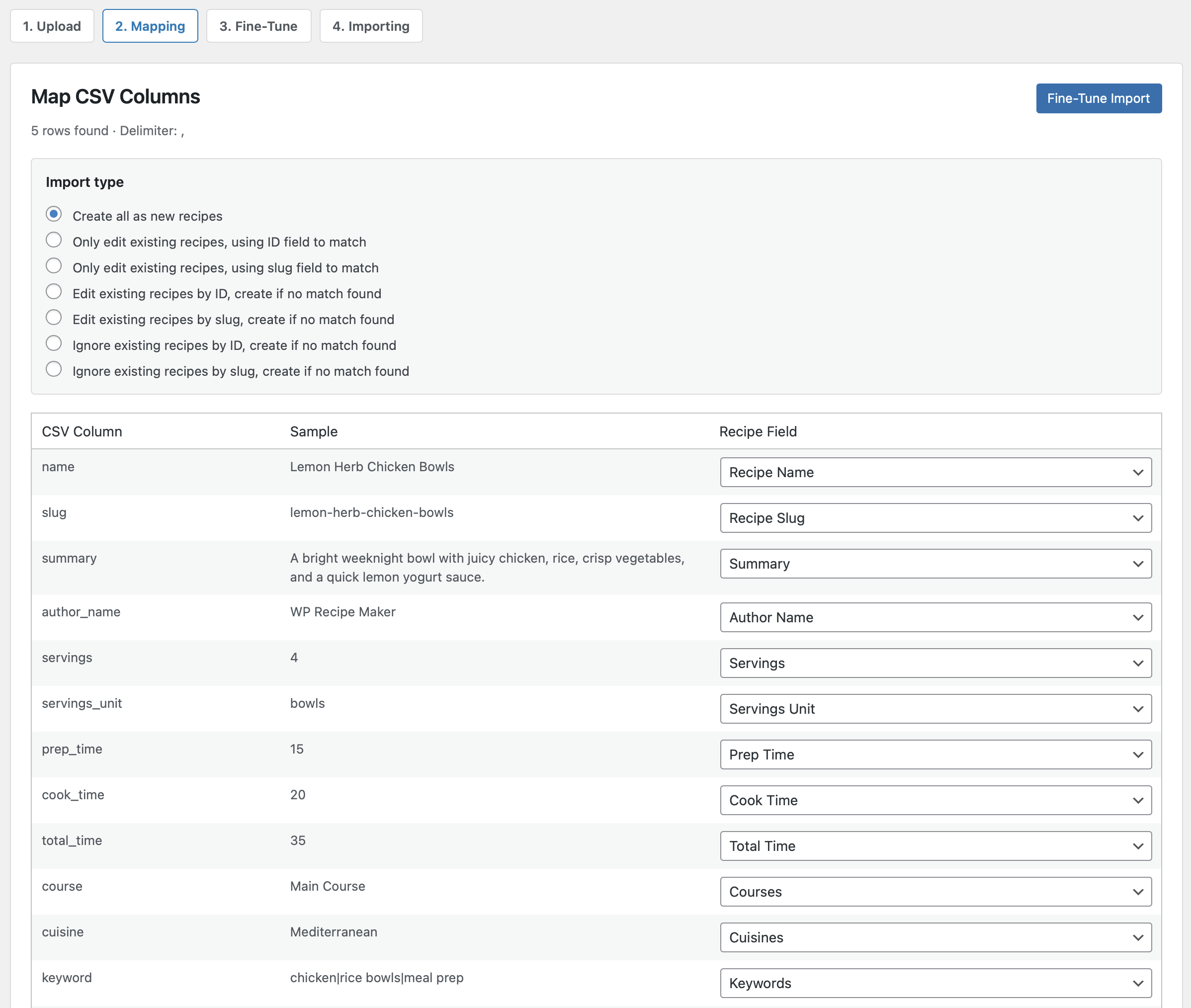
This new CSV import joins our existing import options and should make migrations and bulk recipe creation a lot more convenient.
Different Ingredient Names for Converted Unit Systems
For sites that offer both US Customary and Metric units, this update adds more flexibility to how ingredients appear after conversion.
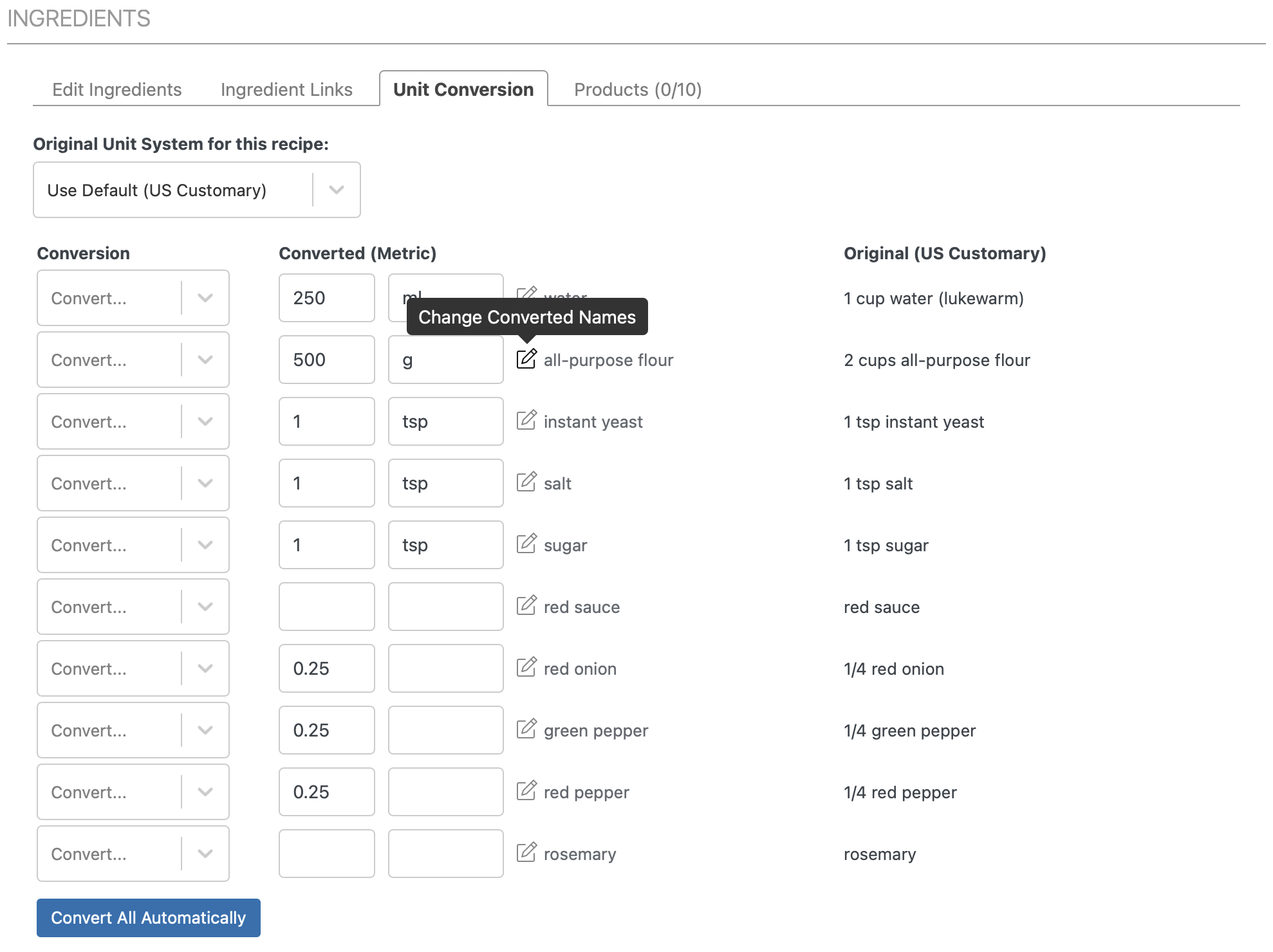
You can now set a different ingredient name for the converted unit system. That means the ingredient list can read more naturally for visitors using a different measurement system.
For example, an ingredient might make sense as one name in the original version of the recipe, but need slightly different wording in the converted version. Instead of forcing the exact same ingredient name in both systems, WP Recipe Maker now lets you fine-tune that. In this example we’ll change the “all-purpose flour” used in the “US Customary” unit system to be “plain flour”, which is more commonly used in the “Metric” unit system:
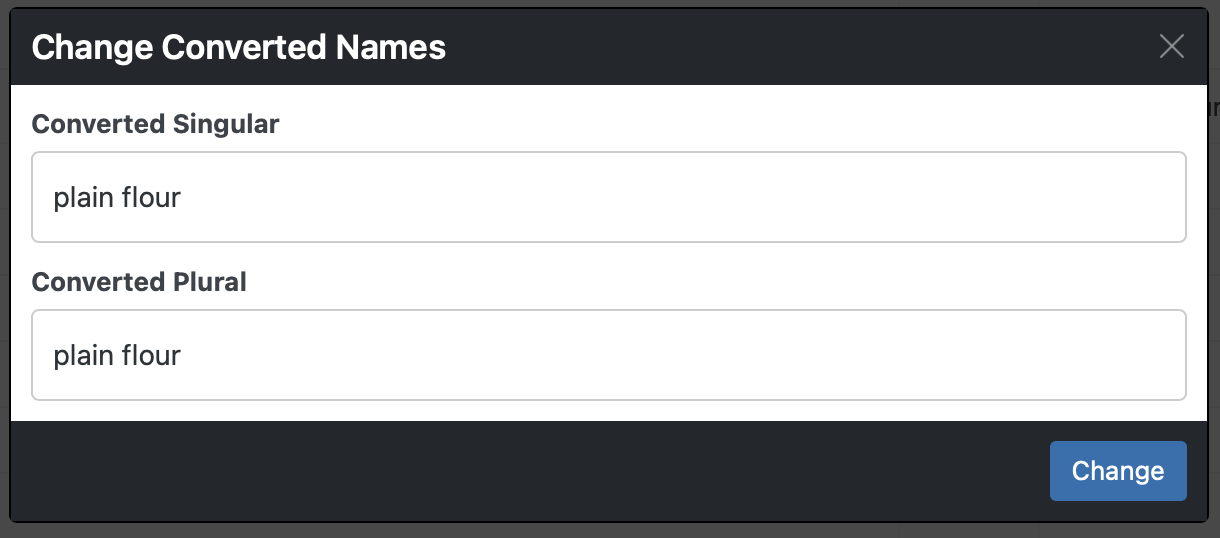
Now when changing the unit system for this example recipe on our demo site, you’ll notice the ingredient name changing to “plain flour” as well as the amount and unit:
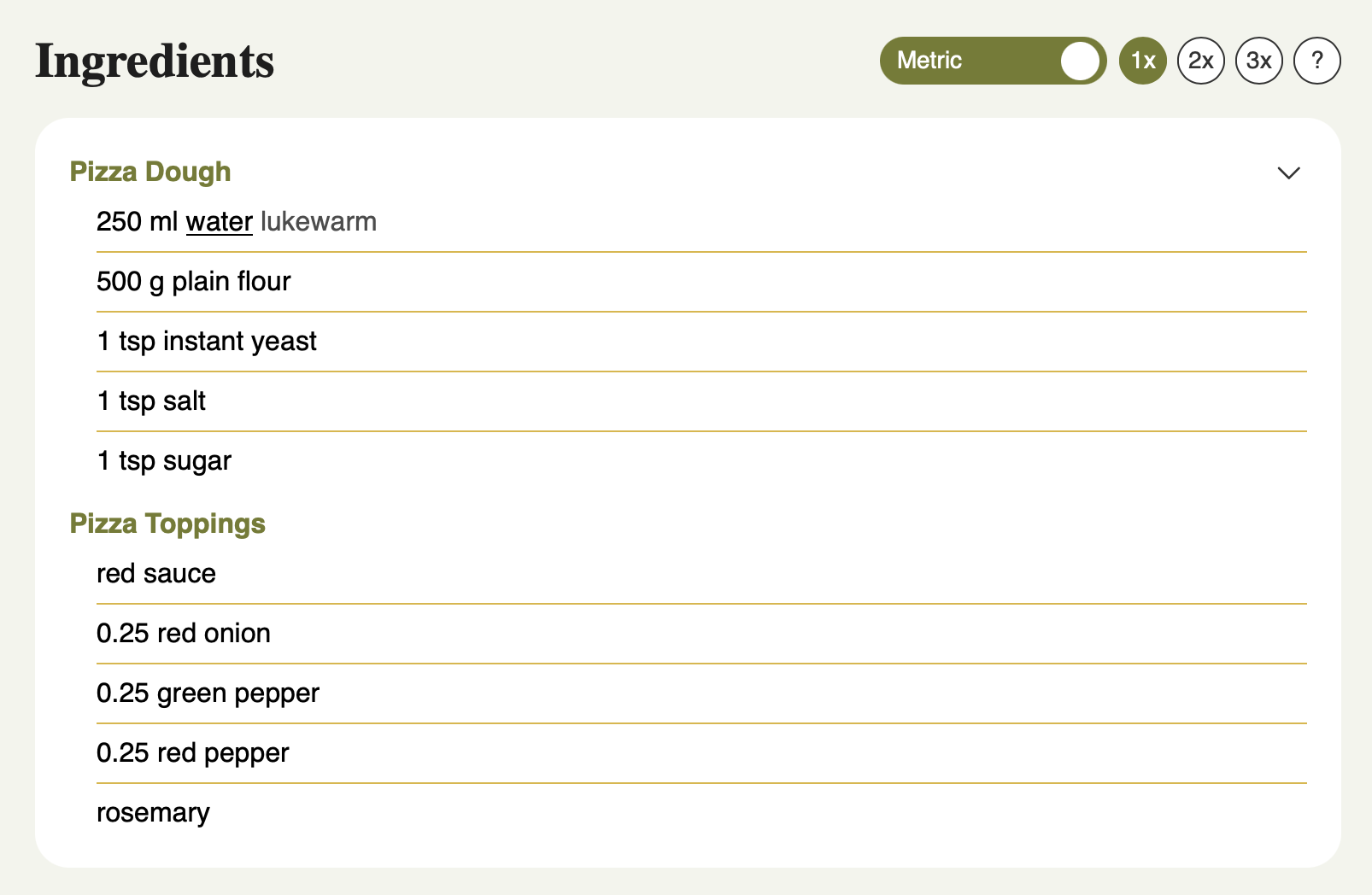
Together with the other unit conversion consistency improvements in this release, this helps you create recipes that feel clearer and more polished for all readers, no matter which unit system they prefer.
Recipe Collections and WP Ultimate Post Grid
Recipe Collections can now integrate with WP Ultimate Post Grid when adding items. Change the “Search Recipes Source” setting on the WP Recipe Maker > Settings > Collection Functionality > Collection Items page and pick a grid to use:
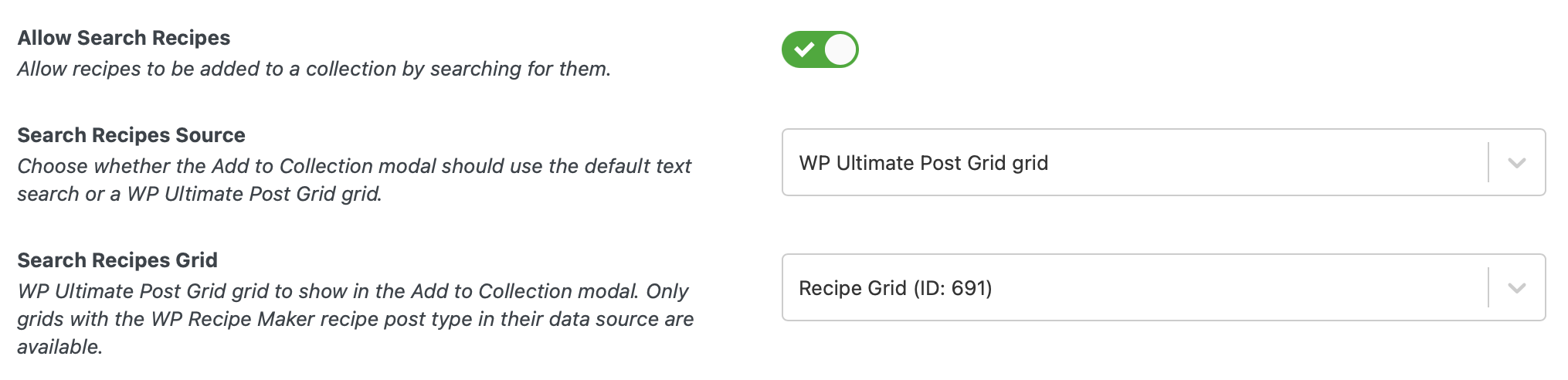
This is a useful workflow improvement if you use Recipe Collections to let visitors save, organize, or plan recipes on your site. When adding items to a collection, you can now use WP Ultimate Post Grid to browse and select content in a more visual and flexible way.
That makes it easier to work with larger recipe archives and gives sites already using WP Ultimate Post Grid a more consistent experience across both plugins.
Instead of a simple search input field you could create any filters you want in our grid plugin, and have those available to easily add recipes to a collection. Here’s how we reused the existing grid on our demo site:
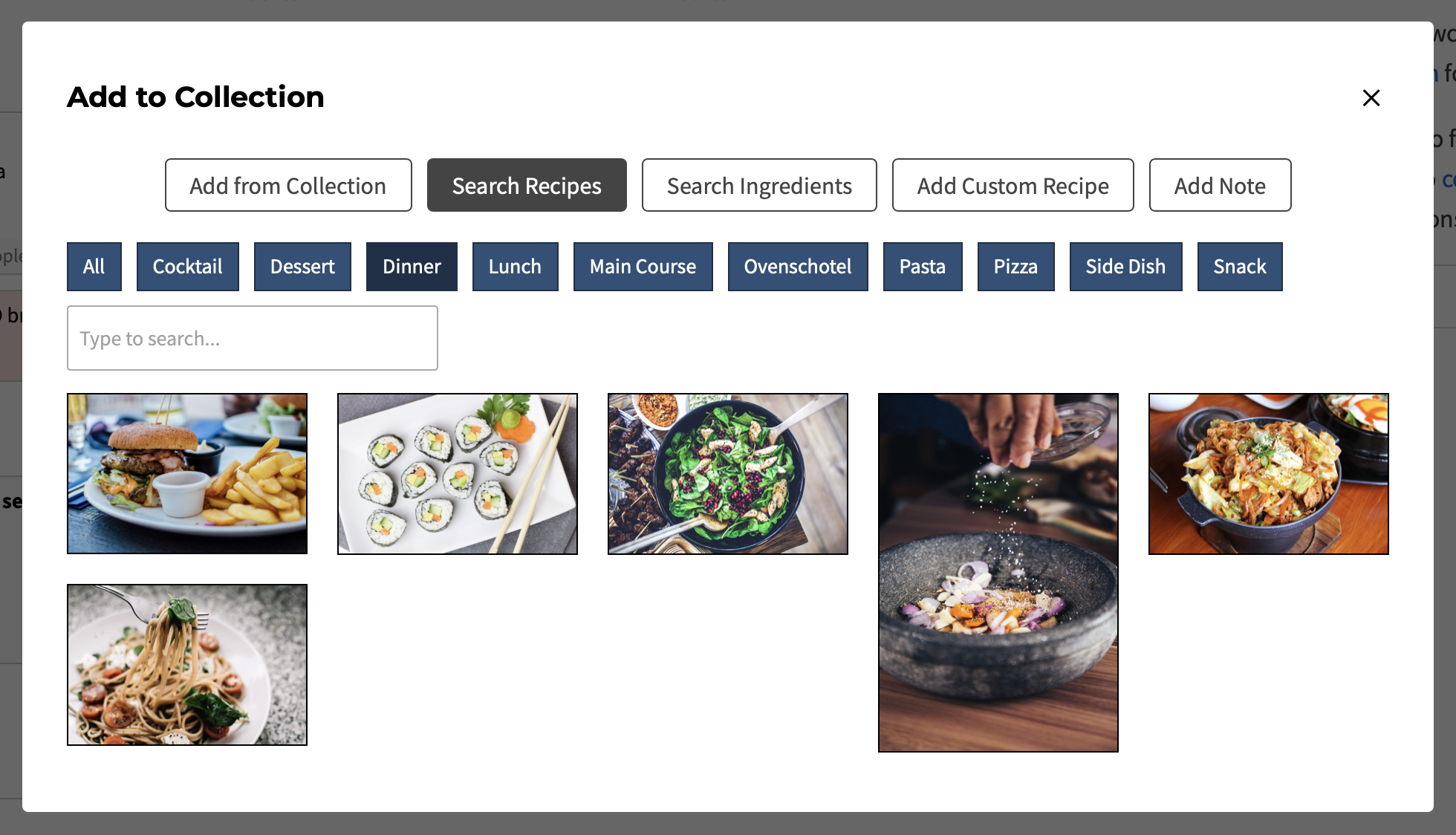
On top of that, this release also adds the option to display Favorite Recipes as a collection in Recipe Collections. So if you are using both features, your visitors can have an even more convenient way to access the recipes they saved.
Product Status Notifications for Amazon Products
For sites using our Amazon integration, we already had the “Amazon Product Status” column on the WP Recipe Maker > Manage > Recipe Fields > Equipment page:
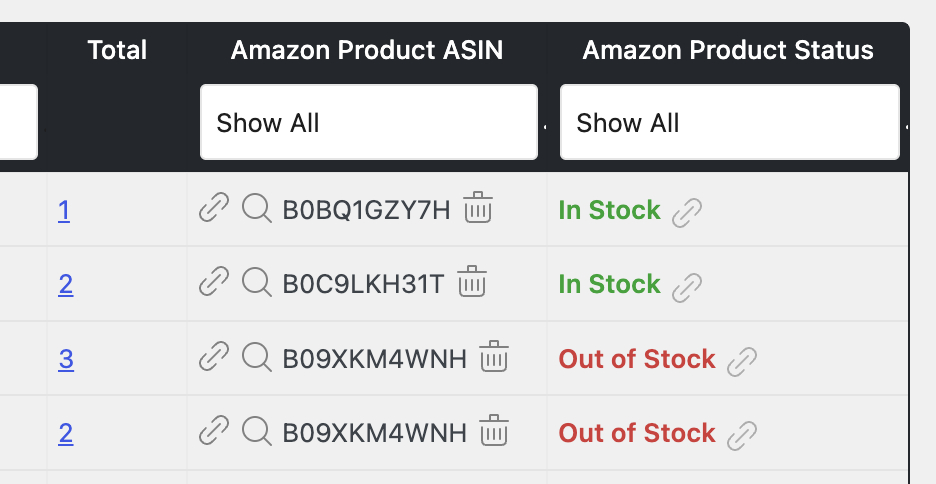
In this new update, you can now get email notifications when an Amazon product linked to one of your recipes is reported as unavailable. This helps you quickly spot product links that may need attention, without having to manually check them one by one.
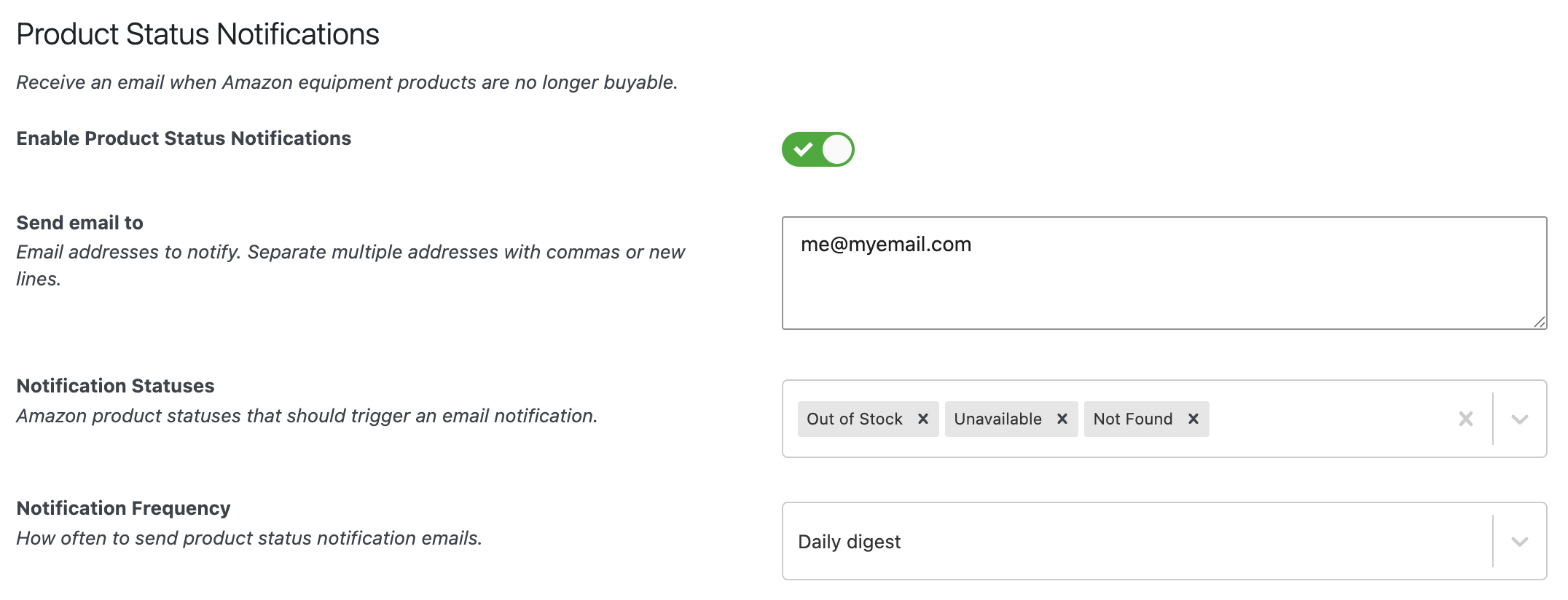
Together with the new Amazon API request timeout setting, this update gives you more control and visibility over the Amazon products used on your site.
Full Changelog
We highlighted just a few of the new features/improvements/fixes above. Below you can find the other changes in version 10.6.0. Check out our documentation for a full history.
WP Recipe Maker Premium 10.6.0
- Feature: Use WP Ultimate Post Grid in Recipe Collections for adding items
- Feature: Set different ingredient name for converted unit system
- Feature: Import recipes from CSV
- Feature: Amazon product unavailable email notifications
- Improvement: Optionally display Favorite Recipes as collection in Recipe Collections
- Improvement: Amazon API request timeout setting
- Improvement: Unit selection when converting from weight to volume units
- Improvement: Consistency of weight to volume conversions
- Improvement: Preview step for JSON import
- Fix: Adjustable shortcode in ingredient names in Cook Mode Modal
- Fix: Prevent shopping list generation issue when multiple print options are enabled
- Fix: Sanitization of Call to Action attributes
WP Recipe Maker 10.6.0
- Feature: Condition based on rating count
- Feature: Type based recipe placeholder
- Improvement: Setting to combine multiple ItemList metadata outputs
- Improvement: Setting to disable printing or restrict access
- Improvement: Bulk restore option on the Trash Manage page
- Improvement: Divi 5 compatibility for recipes created in the classic editor
- Improvement: Setting to display serving size as fractions
- Fix: CSV Export for nutrients in database table
- Fix: PHP 8.5 deprecation warning
- Fix: Searching recipes in Template Editor dropdown
- Fix: Terms filter on manage page when there are lots of terms
- Fix: Editing roundup lists when included items got deleted
Updating should be possible through the Plugins page in your own WordPress backend. If there are any issues, check out our documentation on updating WP Recipe Maker.