
We just released the very best version of WP Recipe Maker up until today: version 10.5.0 Read on for the highlights and a full changelog or update right away!
CookPal Integration
You pour hours into your recipes. But once a reader lands on your page, you have no way of knowing where they get confused, what questions they’re asking, or why they leave before they’ve finished cooking.
CookPal is the WordPress plugin that changes that – for you and for your readers.
For readers, CookPal answers their questions in real time, directly on your recipe post, first using your own expertise and knowledge from your post. If the answer isn’t in your post, recipe card or comments, it draws on general cooking knowledge so readers always get the right answer. No leaving your site for answers. Just happy readers that feel supported throughout.
For you, the blogger, CookPal tracks every question and struggle your readers have. Each month, it turns that into a plain-language report: telling you exactly which parts of your posts and recipes are causing confusion, question patterns and recommendations for content improvements.
Now that CookPal works directly with WP Recipe Maker, your readers can get instant support where they need it the most: in the recipe card, while cooking.
Built by food bloggers, for food bloggers.
Give CookPal a try on our demo site and learn how to get a 10% discount!
New AI Assistant Features
We’ve been working on bringing AI-powered tools into WP Recipe Maker to help you save time and work more efficiently. This update introduces several new AI features. During the AI Assistant Beta phase, these are only available to customers with an active WP Recipe Maker Elite Bundle license.

Import Recipe from Text with AI
Have a recipe written out in an email, a document, or even a screenshot of a cookbook? You can now paste that text into WP Recipe Maker and let AI parse it into a fully structured recipe. It handles ingredients, instructions, times, and more, so you don’t have to manually fill in every field.
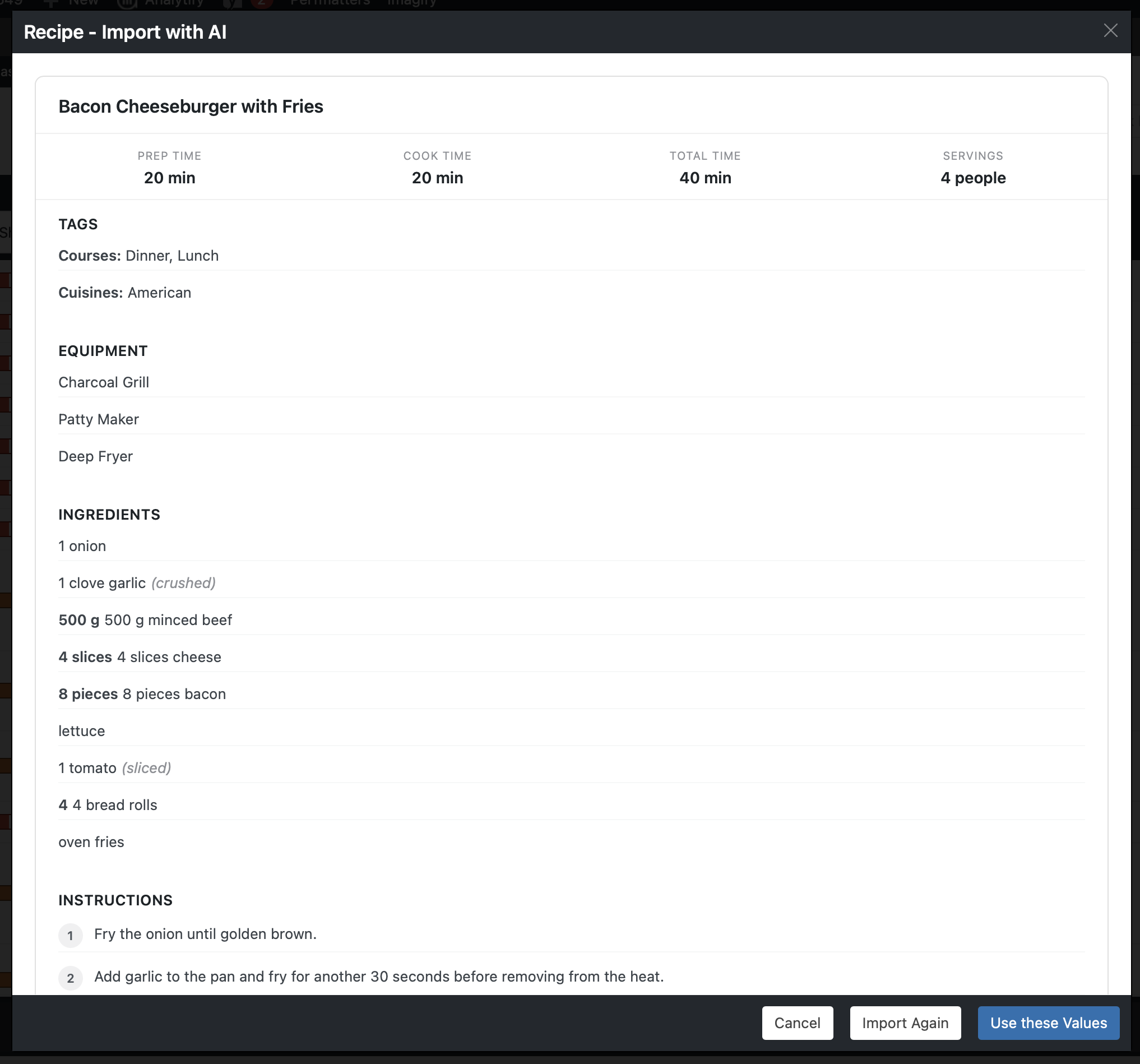
Learn more about using the Import from Text with AI feature
Generate Recipe and List Ideas
Stuck on what to publish next? The new idea generator helps you brainstorm new recipe ideas and list ideas (like roundups or meal plans) directly from the Manage page. It’s a great way to keep your content pipeline flowing without leaving your WordPress dashboard.
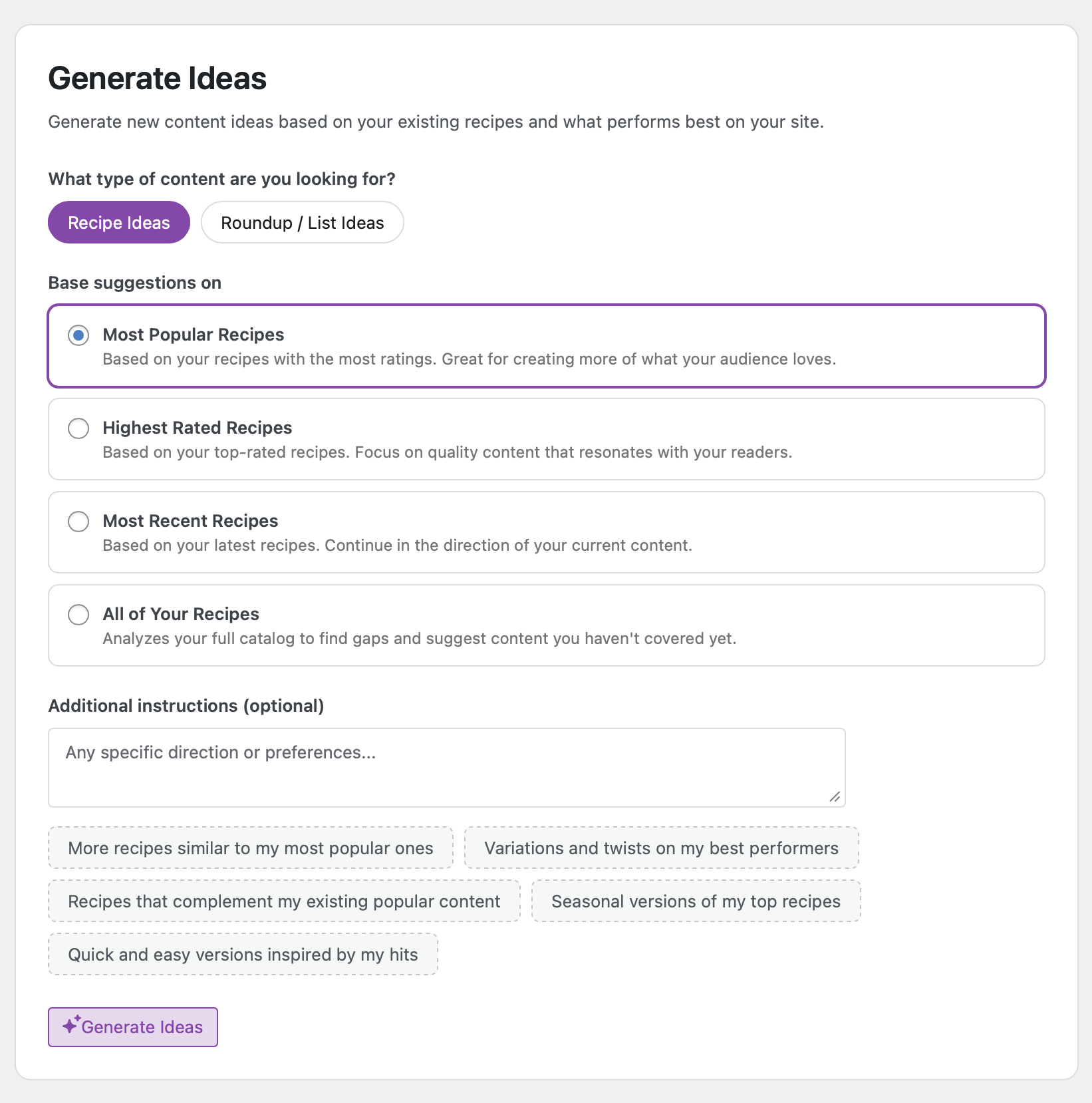
Learn more about using the Generate Ideas with AI feature
AI Nutrition Review
If you’re using our nutrition label feature, you can now have AI review your nutrition data for potential issues. It can flag values that seem off compared to the ingredients listed, helping you catch mistakes before they go live. It’s also a great tool if you need to handle a backlog of recipes without nutrition data.
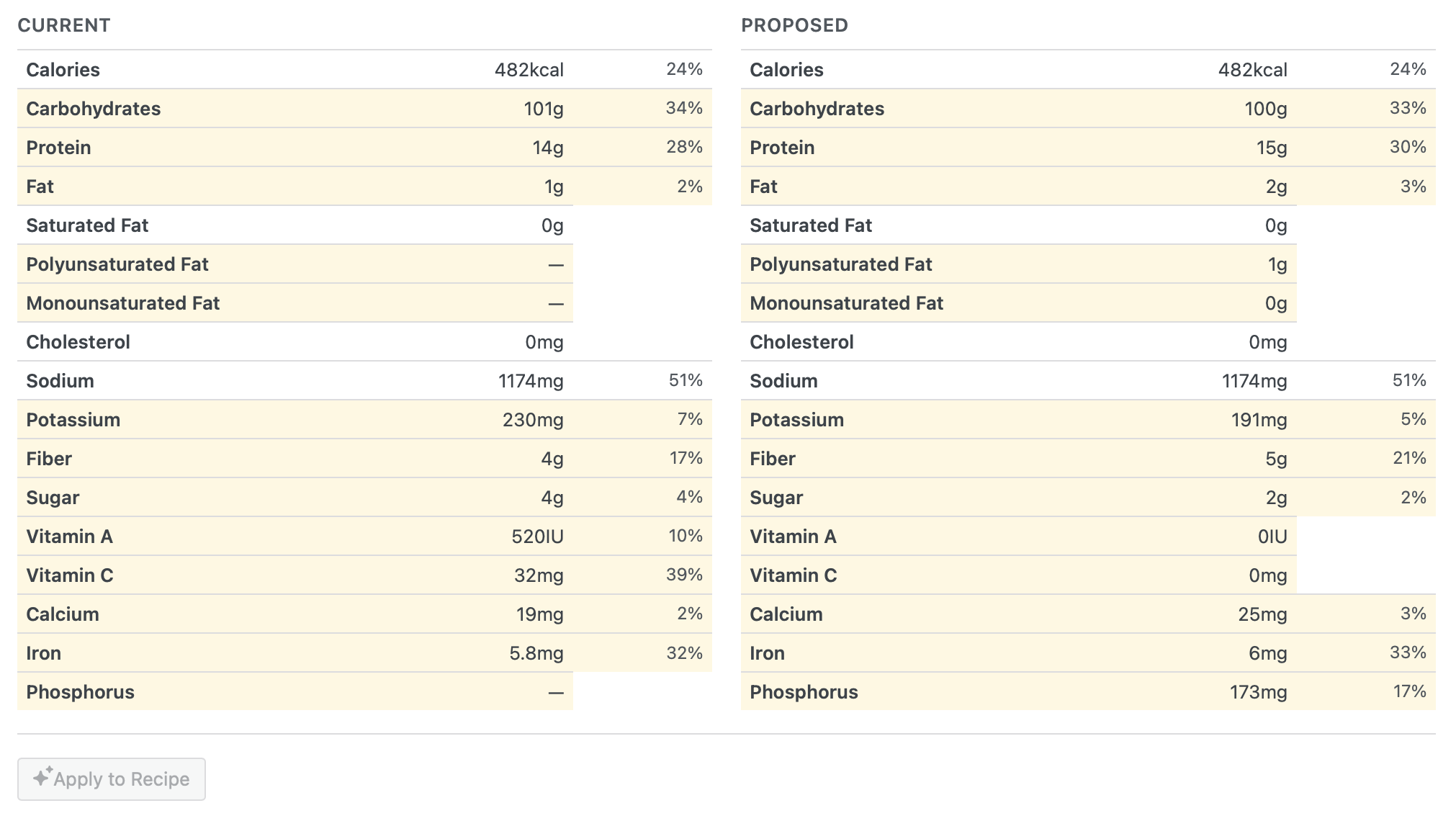
Learn more about using the AI Nutrition Review feature
AI Unit Conversion Review
Similarly, if you’re offering metric and US customary unit conversions, AI can now review those conversions for accuracy. It’s an extra safety net to make sure your readers get the right amounts, no matter which unit system they prefer. Also great for adding a unit system to all of your recipes in bulk!
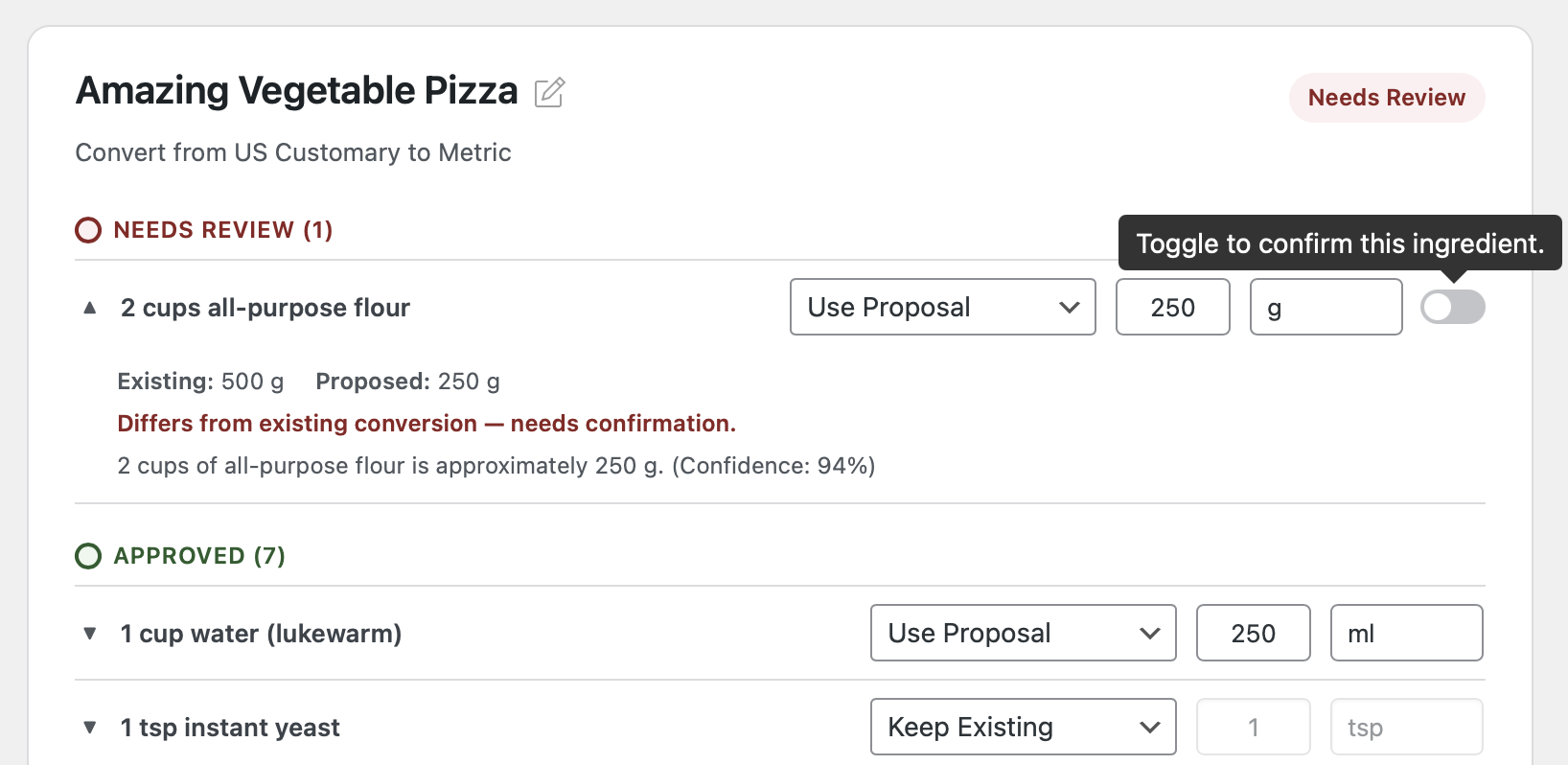
Learn more about using the AI Unit Conversion Review feature
All of the AI Assistant features mentioned above are in beta version while we figure out how we’d need to price this AI helper and what features are actually useful to food bloggers. Feel free to reach out to support@bootstrapped.ventures directly with any feedback or suggestions!
Favorite Recipes
WP Recipe Maker 10.5.0 includes a brand new Favorite Recipes feature. An icon or button in the recipe card lets visitors mark recipes they love.
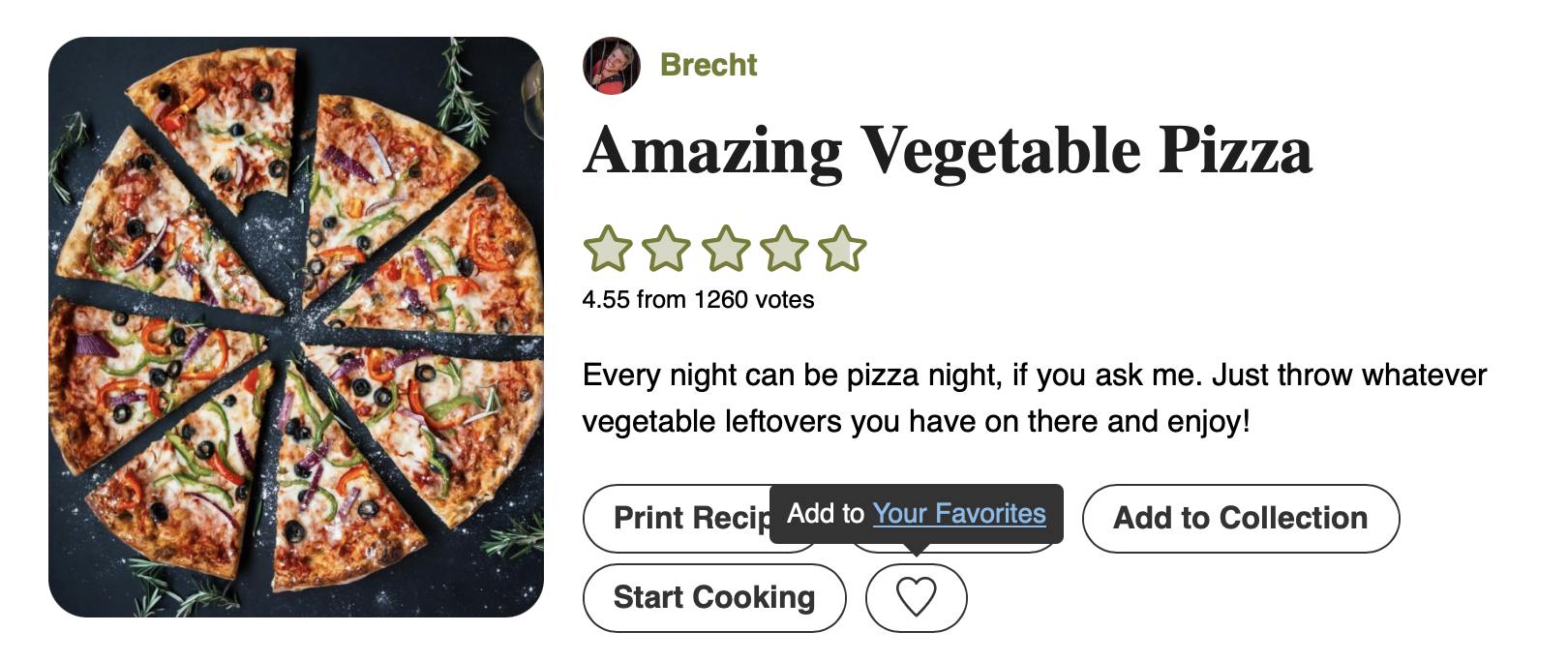
Once added to the list, they can view all their favorites in one place using the new Favorite Recipes List block or shortcode. Like this example Favorite Recipes page on our demo site.
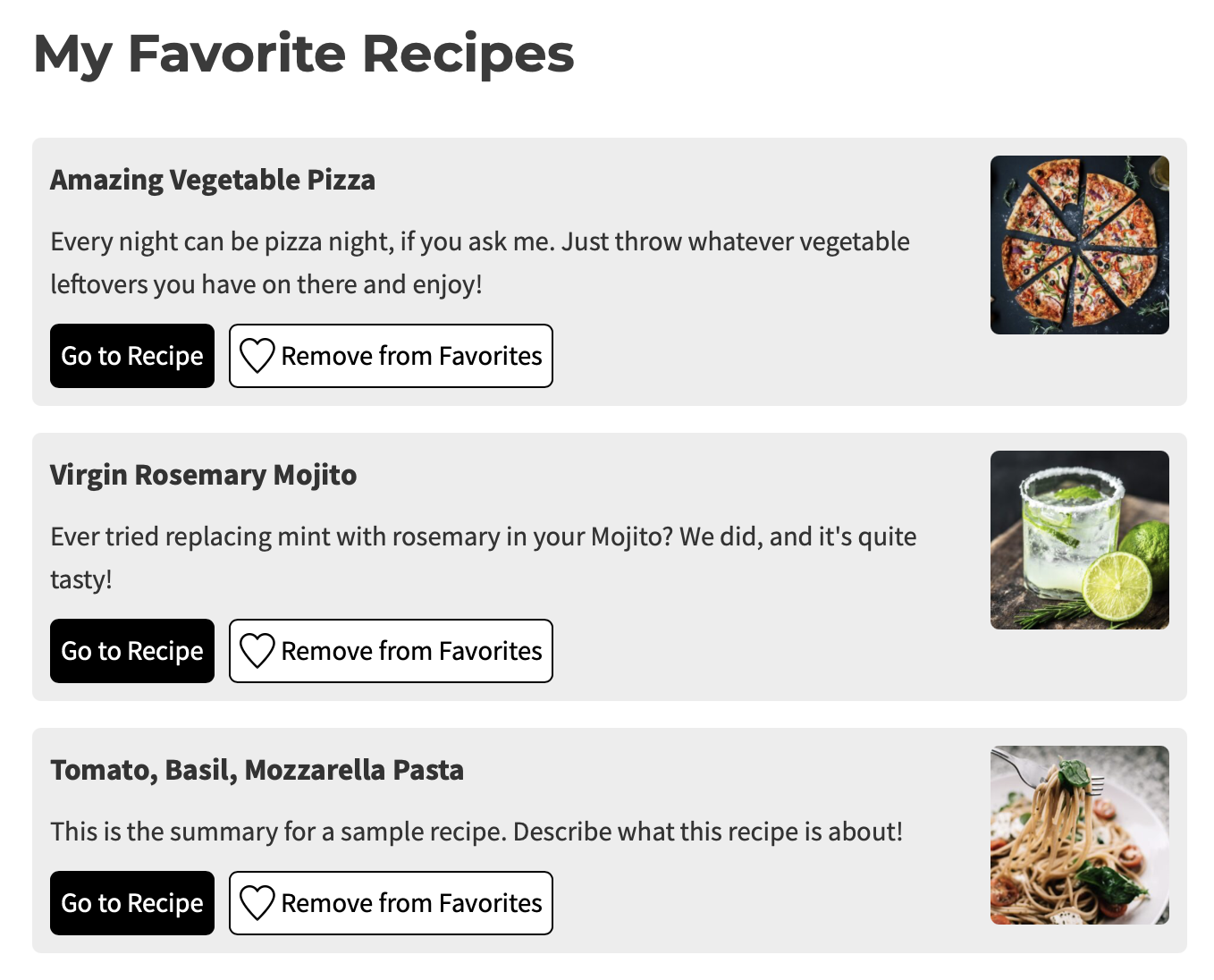
This is a great feature for sites that do not need the full Recipe Collections or Quick Access Shopping List experience and just want their visitors to be able to have a list of their favorite recipes. If you do want visitors to be able to generate a shopping list as well, those other features are worth looking at!
Full Changelog
We highlighted just a few of the new features/improvements/fixes above. Below you can find the other changes in version 10.5.0. Check out our documentation for a full history.
WP Recipe Maker Premium 10.5.0
- Feature: Favorite Recipes List
- Feature: AI Nutrition Review Beta
- Feature: AI Unit Conversion Review Beta
- Feature: Import recipe from text using AI
- Feature: Generate Recipe and List Ideas with AI
- Improvement: Setting for default “Amount Needed” for eCommerce Products
- Fix: Amazon Queue loading unnecessarily
- Fix: Prevent race condition when manually entering unit conversion values
- Fix: Adjustable shortcode in associated ingredients
- Fix: Adjustable shortcode in collections feature when used in servings
- Fix: Cook Mode modal in collections feature
- Fix: Cook Mode split ingredients not always using fractions
WP Recipe Maker 10.5.0
- Feature: CookPal integration
- Feature: Tracking of individual changes on the settings page
- Feature: New icon picker modal for the template editor
- Feature: Track ideas for new recipes on Manage page
- Feature: Parent post name placeholder
- Feature: Sync taxonomy term tool for multilingual plugins
- Improvement: Automatically replace Divi 4 recipe module with Divi 5 one
- Improvement: Extra icons for the template editor
- Improvement: Track settings changes in changelog
- Improvement: Keep context when using search on settings page
- Fix: Include referrer in YouTube data API request
- Fix: “Remove Links” setting affecting print credit
- Fix: Video poster image not looking correct in Cook Mode Modal
Updating should be possible through the Plugins page in your own WordPress backend. If there are any issues, check out our documentation on updating WP Recipe Maker.