
We just released the very best version of WP Recipe Maker up until today: version 10.4.0 Read on for the highlights and a full changelog or update right away!
Download Recipe as PDF
You can now add a “Download as PDF” button to your recipes. This makes it easy for visitors to save a clean, printable version of a recipe for later. Perfect for people who like to cook from paper, store recipes in a folder, or share them offline.
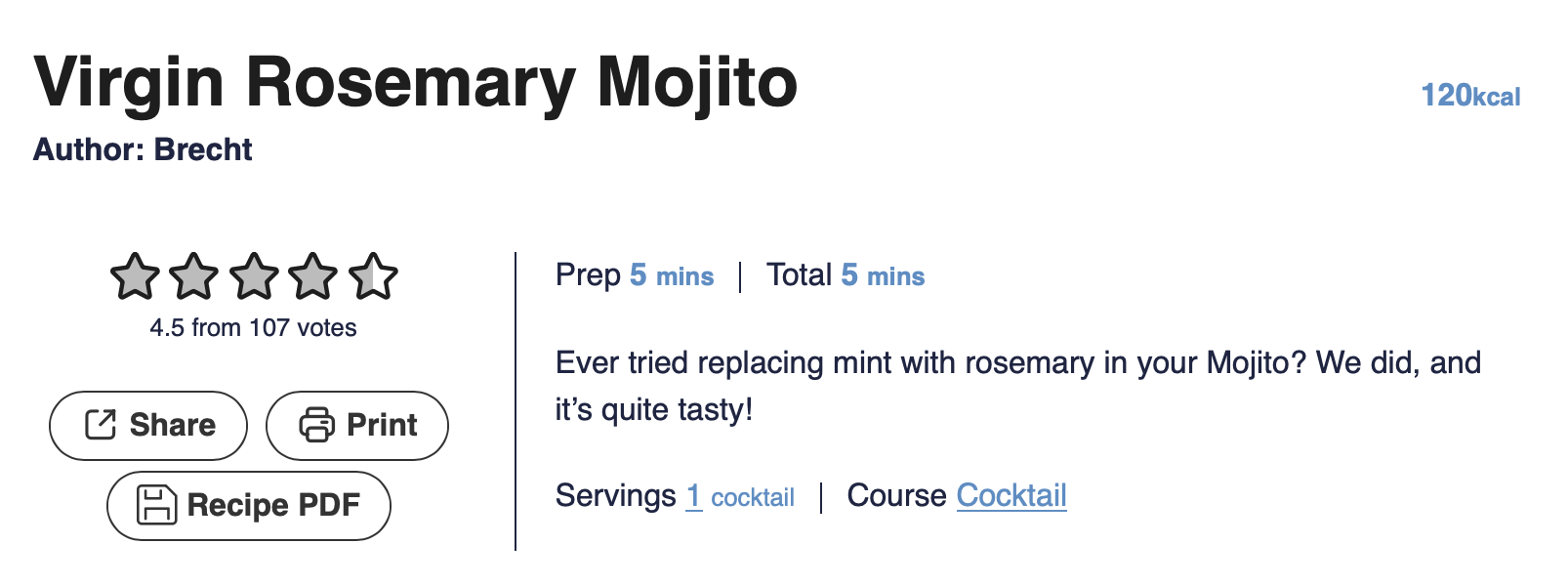
Because it’s built into WP Recipe Maker, the PDF output stays consistent with your recipe content and updates automatically whenever you update the recipe.
You can either add a new button to your recipe card template or have a “Download PDF” option show up when printing recipes. You can test both of these options on our demo site.
Undo/Redo History
Editing just got a lot safer (and less stressful). This update introduces Undo/Redo history across multiple parts of WP Recipe Maker:
- Recipe Edit Modal: quickly undo changes while editing a recipe without worrying you just overwrote something important.
- Template Editor: experiment with template layout and styling, and roll back any step instantly.
- Recipe Collections: undo/redo actions while organizing collections, so you can make changes confidently and users don’t accidentally remove an entire day of their meal plan.
Since it’s a user-facing feature, we’re especially excited about the undo/redo for recipe collections. It should lead to fewer frustrations, especially while users are figuring out how to work with their collections.

After clicking on “Show History”, users can see the exact changes they’ve made (and when) and can simply click on a point in time to revert their collections to that state.
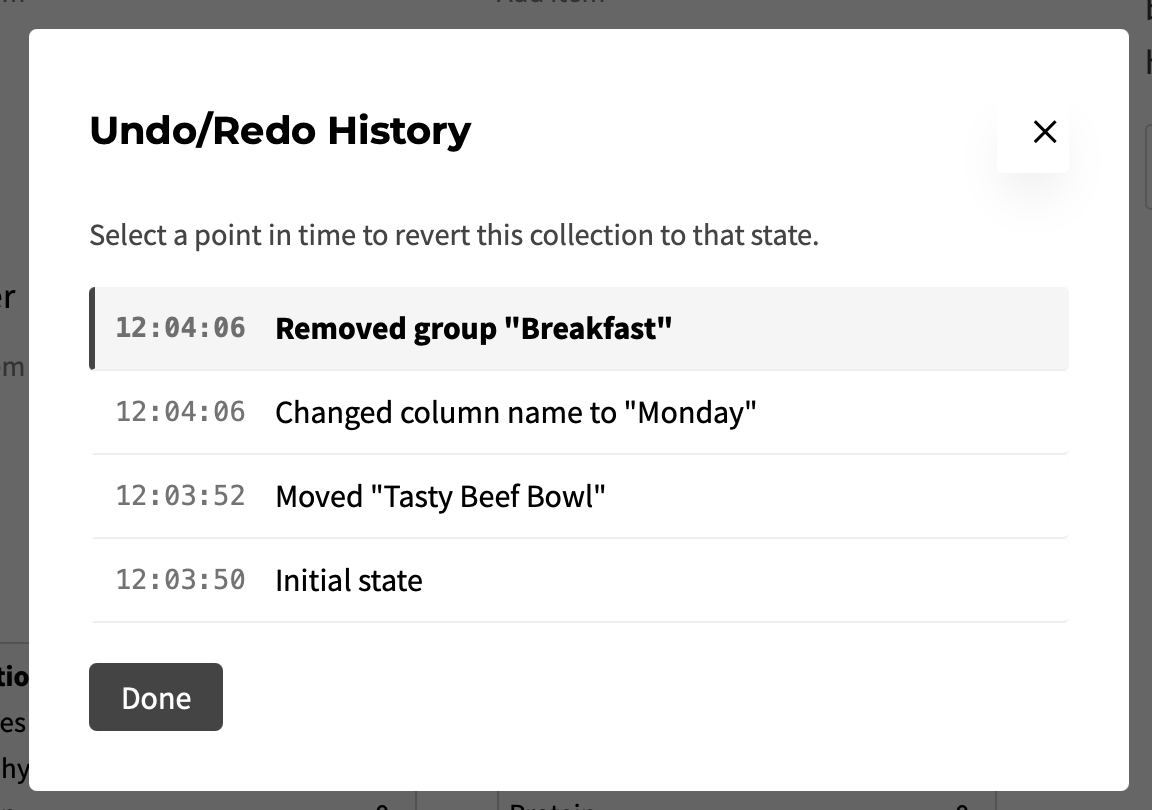
This is one of those features you don’t think about until you have it, and then you never want to go back. If needed, all of these options can be disabled again through the WP Recipe Maker > Settings page. Do a search for “Undo” and you’ll find the settings you need!
Instruction Tips
You can now add optional tips in between instruction steps with customizable colors and icons. This is great for recipes where you want to add extra context without cluttering the step itself, such as:
- substitution ideas
- doneness cues and troubleshooting
- make-ahead notes
- “what it should look like” guidance

You can set a default styling in our template editor (with 5 different style options) and also customize style, icon and color for each individual tip icon.

On top of that, there’s also a new Tip shortcode, which makes it easy to add tips to places like the recipe notes section (or anywhere else you want to reuse that same tip styling). For the recipe notes specifically, there’s even a new “Insert Tip” button available to easily insert the shortcode for you.
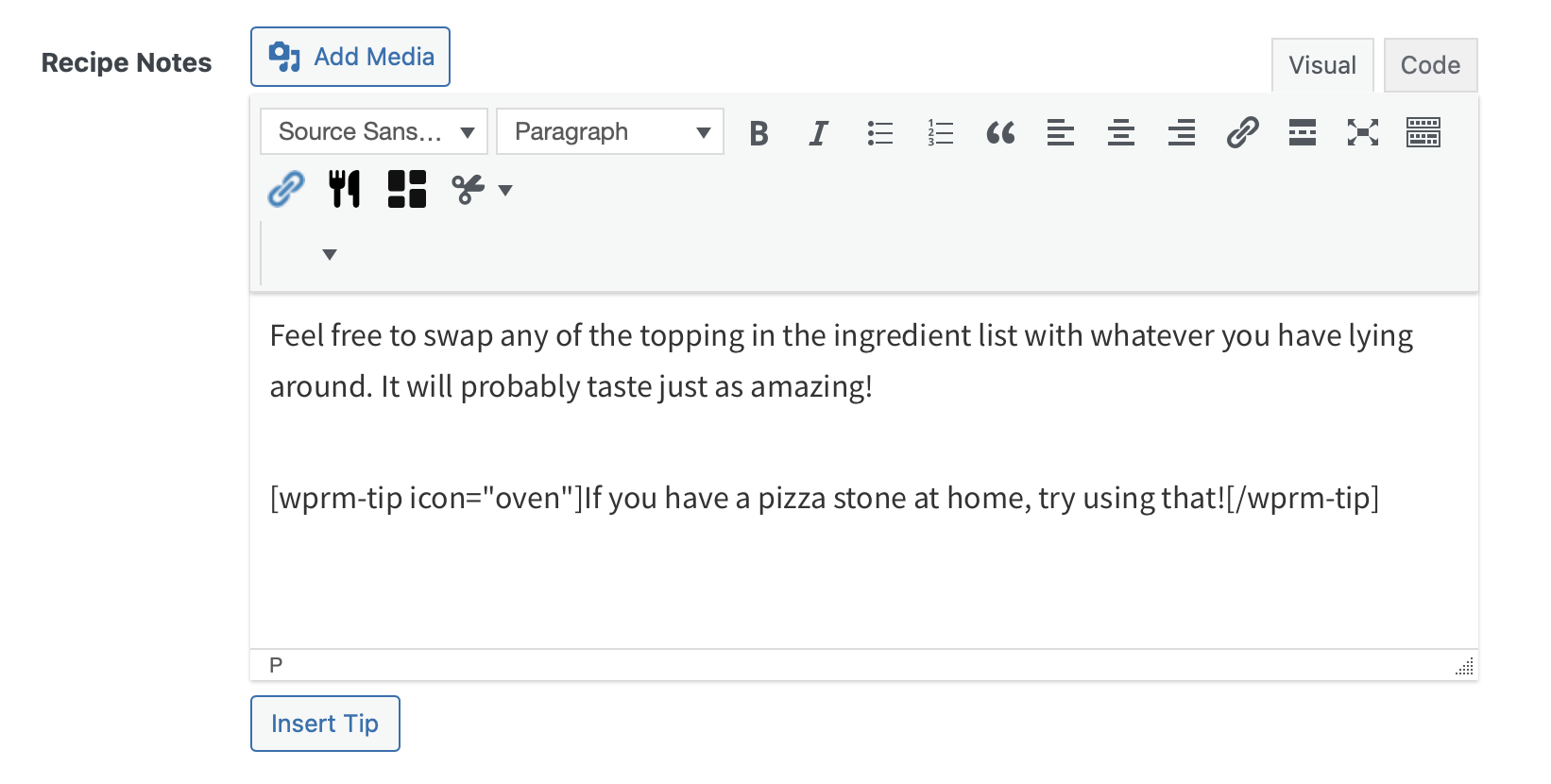
Together, these make it much easier to create recipes that are both easy to follow and more helpful for readers.
Download Datatables as CSV
For anyone managing recipes at scale (or just liking their data in spreadsheets), WP Recipe Maker now makes it easier to export what you see on screen.
- Manage page datatables export: download the current table view as CSV.
- Reports export: export report data to CSV, including the Recipe Interactions Report and the Recipe Collections Report for further analysis on your end.
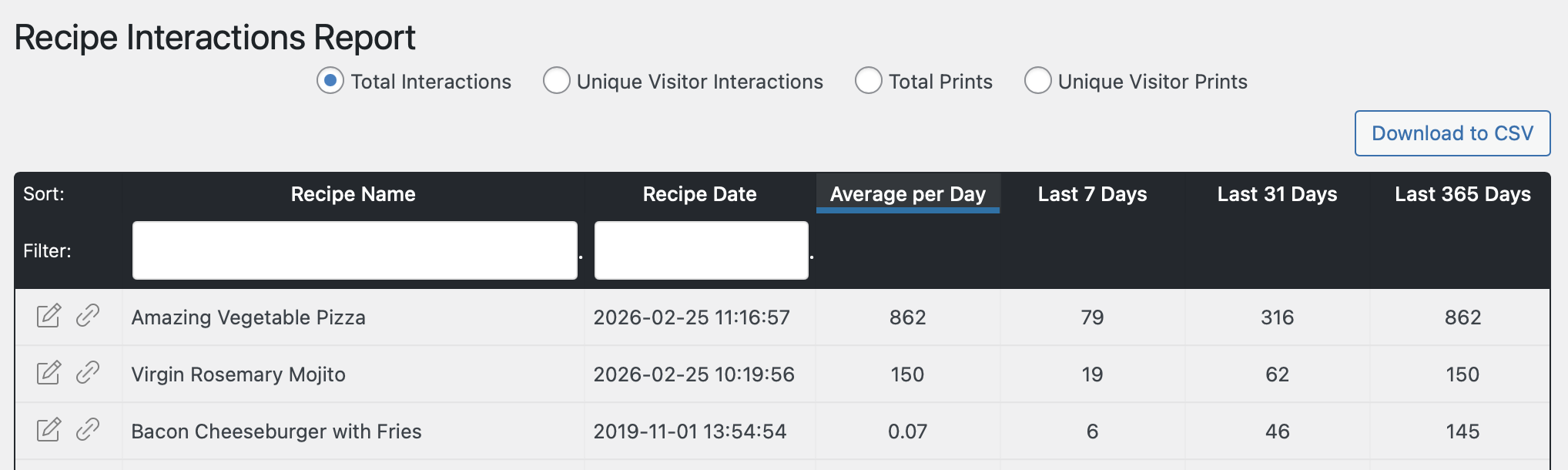
This makes it easier to analyze, filter, share, or archive data. Whether you’re tracking performance, doing a content audit, or building your own reporting workflow.
Full Changelog
We highlighted just a few of the new features/improvements/fixes above. Below you can find the other changes in version 10.4.0. Check out our documentation for a full history.
WP Recipe Maker Premium 10.4.0
- Feature: Undo/Redo functionality for Recipe Collections
- Feature: Download recipe as PDF button
- Feature: Show existing shopping groups when setting one for an ingredient
- Feature: Download Recipe Collections Report to CSV
- Feature: Allow text labels for adjustable servings
- Improvement: Uploaded vertical video display in Cook Mode Modal
- Improvement: Settings for ingredient notes display in Cook Mode Modal
- Fix: User Ratings Modal not working in saved recipe collection recipe preview
- Fix: Race condition when editing custom fields could lead to empty fields
- Fix: Stars in cook modal popup when set to jump to comment form
WP Recipe Maker 10.4.0
- Feature: Add optional tips in between instruction steps
- Feature: Undo/Redo history for the recipe edit modal
- Feature: Undo/Redo history for the Template Editor
- Feature: My Shopping Help integration
- Feature: Export to CSV for Manage page datatables
- Feature: Tip shortcode with easy way to add tips to the recipe notes section
- Feature: Setting to expose post type to other plugins
- Feature: Download Recipe Interactions Report to CSV
- Feature: Any or none option for taxonomy conditions
- Feature: Hubbub Action Buttons block in Template Editor
- Improvement: Support Hubbub Save This compact attribute
- Improvement: Support importing additional time and new tags system for Tasty Recipes
- Improvement: Show recipe templates used in template editor overview
- Fix: Part of dropdown could get hidden in Template Editor
- Fix: Smaller & Larger buttons on print page in combination with some templates
- Fix: Plural/singular for split ingredients
- Fix: Fractions incorrect for split ingredient preview when editing
- Fix: Setting alternative image for roundup item in classic editor
- Fix: Prevent admin modal performance issues when a site has many category terms
- Fix: Recipe updated attribute triggering autosave unnecessarily
Updating should be possible through the Plugins page in your own WordPress backend. If there are any issues, check out our documentation on updating WP Recipe Maker.