
We just released the very best version of WP Recipe Maker up until today: version 10.3.0 Read on for the highlights and a full changelog or update right away!
Template Editor Improvements
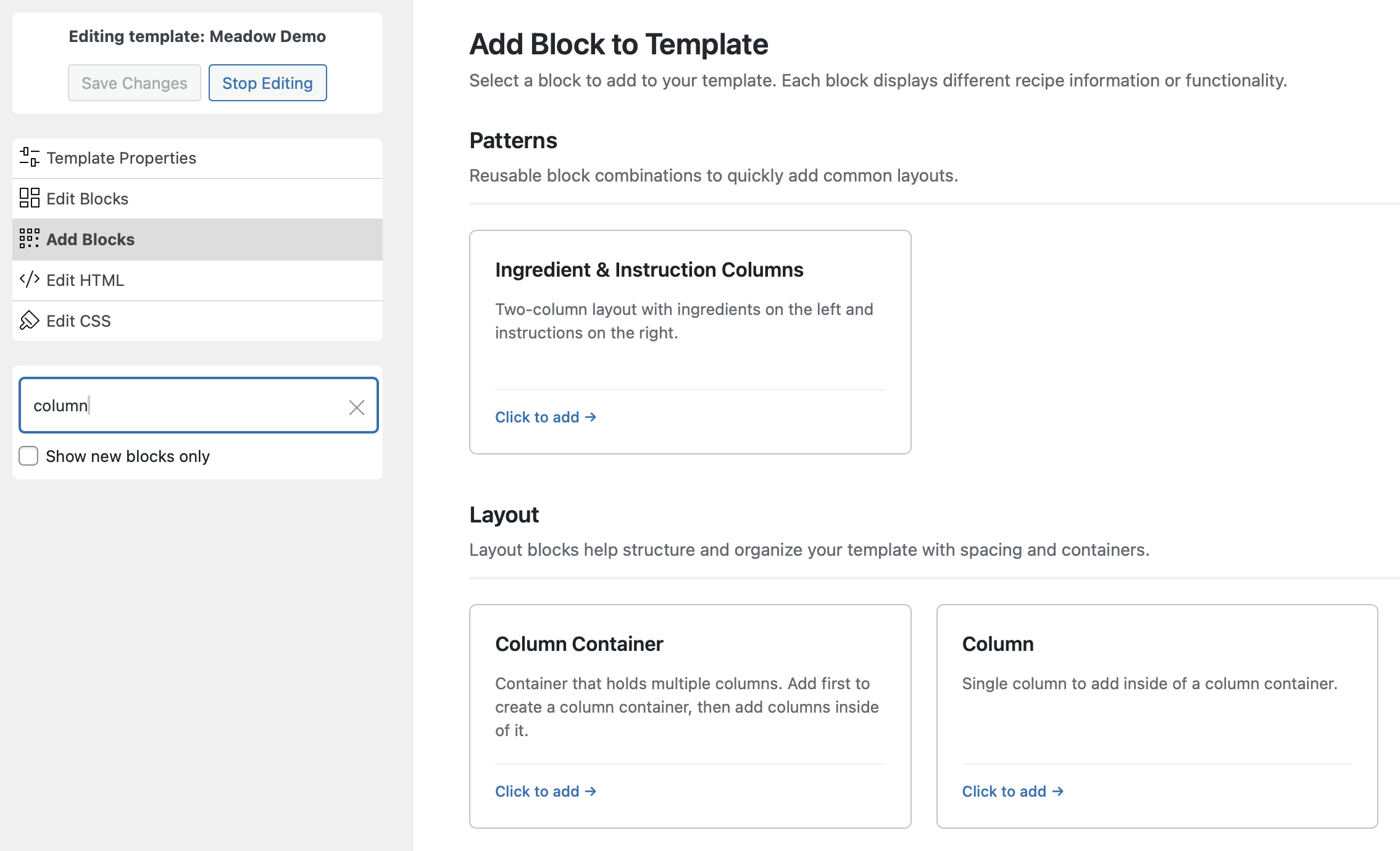
The Template Editor has been upgraded to make customizing your recipe templates faster and more intuitive. We’ve introduced a new “Add Blocks” interface which has more information about the block you’re about to add and includes search functionality to easily find the block you’re looking for.
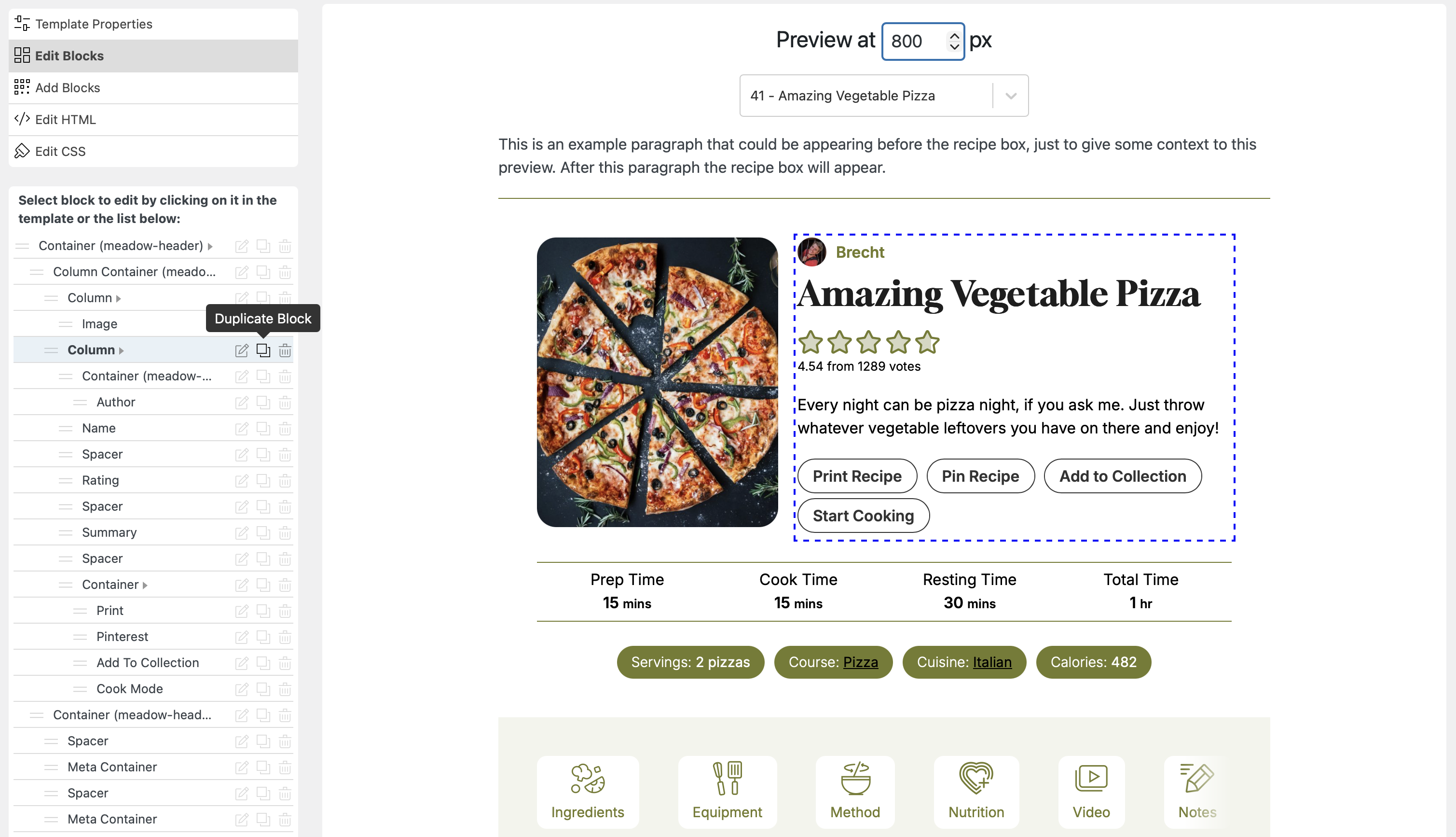
Once a block has been added, there is now one unified “Edit Blocks” menu, that allows you to edit, move, delete and even duplicate blocks. Moving can now be done by simply dragging and dropping inside of the list, allowing you to easily place and rearrange blocks exactly where you want them
For those who prefer a clean slate, you can now start with a blank template instead of cloning an existing one. We’ve also improved the workspace with a collapsible sidebar to give you more room for previewing your designs, and added deeplink navigation, making it easier to bookmark or share links to specific templates you are editing.
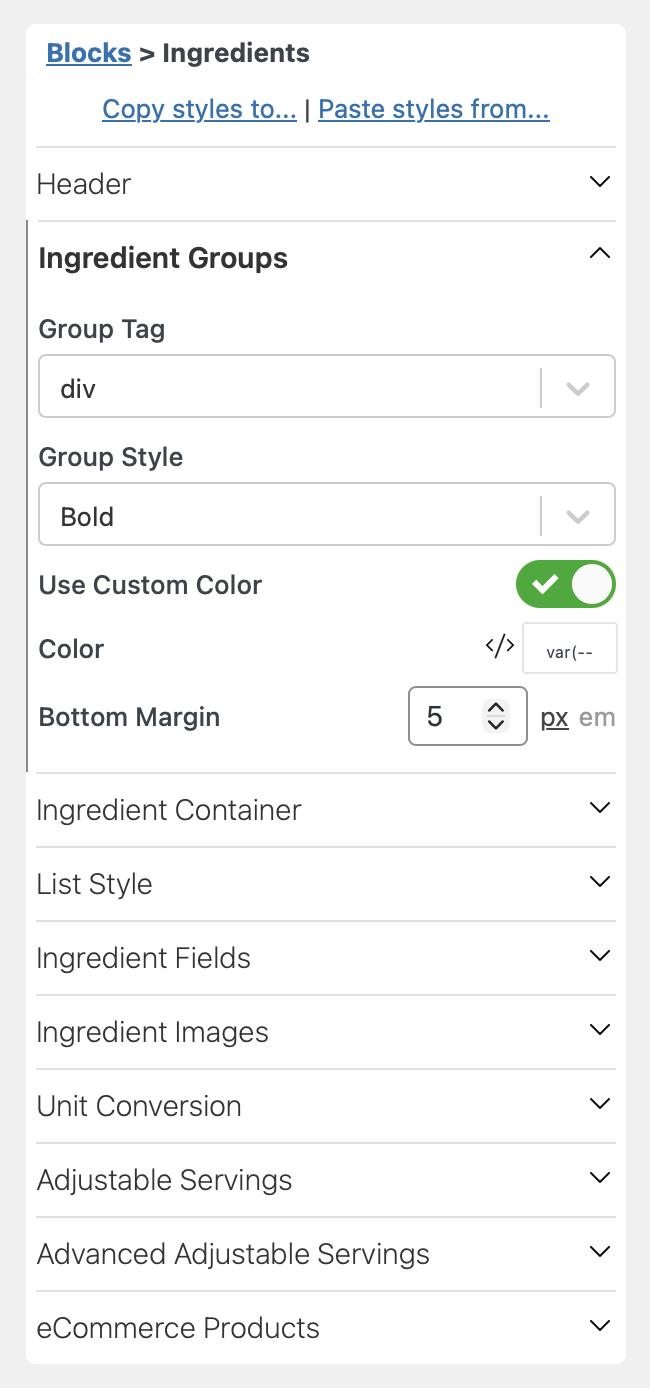
When editing individual blocks it will also not overwhelm you by showing all options at once, but rather have the different option groups collapsible, to keep an overview of the different changes you can make.
Our Template Editor is still the powerhouse you know and love, but we’ve significantly improved the usability. With the introduction of drag-and-drop capabilities and a modernized block selection interface, customizing your recipe templates is now as simple as it is powerful.
Support for the Amazon Creators API
We have added full support for the new Amazon Creators API, which is now Amazon’s recommended method for fetching product data. This modern API offers significantly better reliability compared to the older PA-API, ensuring your product links and images load consistently.
To make the transition seamless, we’ve introduced an ‘Automatically Switch’ mode. Simply add your new Creators API credentials in the settings, and the plugin will prioritize the new API while keeping the old PA-API as a fallback. This ensures you always have the most robust connection possible without disrupting your existing setup.
You can add your details on the WP Recipe Maker > Settings > Amazon Products page.
Splitting Associated and Inline Ingredient Amounts
Our Inline Ingredients and Associated Ingredients features are great for giving your visitors the ingredient information exactly where they need it: alongside the instruction steps. Especially with our Cook Mode Popup Modal, this makes cooking your recipes as easy as possible.
One downside of the feature was that you had to use the ingredient exactly is it was written in the ingredient list. So if a particular instruction step only called for part of that ingredient, you were not able to use these features.
As of WP Recipe Maker 10.3.0 you now have that option because of the ability to split ingredients:
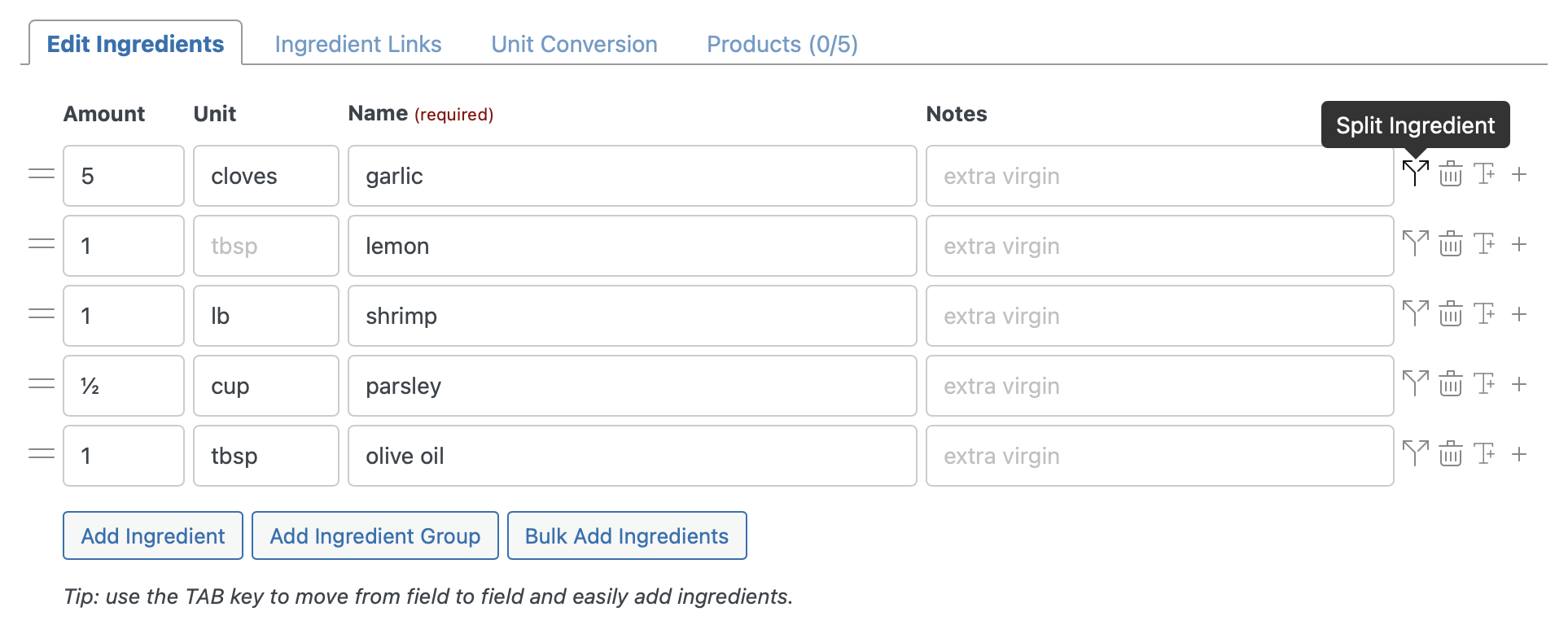
When you click on the new “Split Ingredient” icon, a new modal will show up that allows you to split an ingredient into 2 or more parts, for use in separate instruction steps. For every part you pick a percentage, that way adjusting the amount of your ingredient afterwards makes sure the split is still correct.
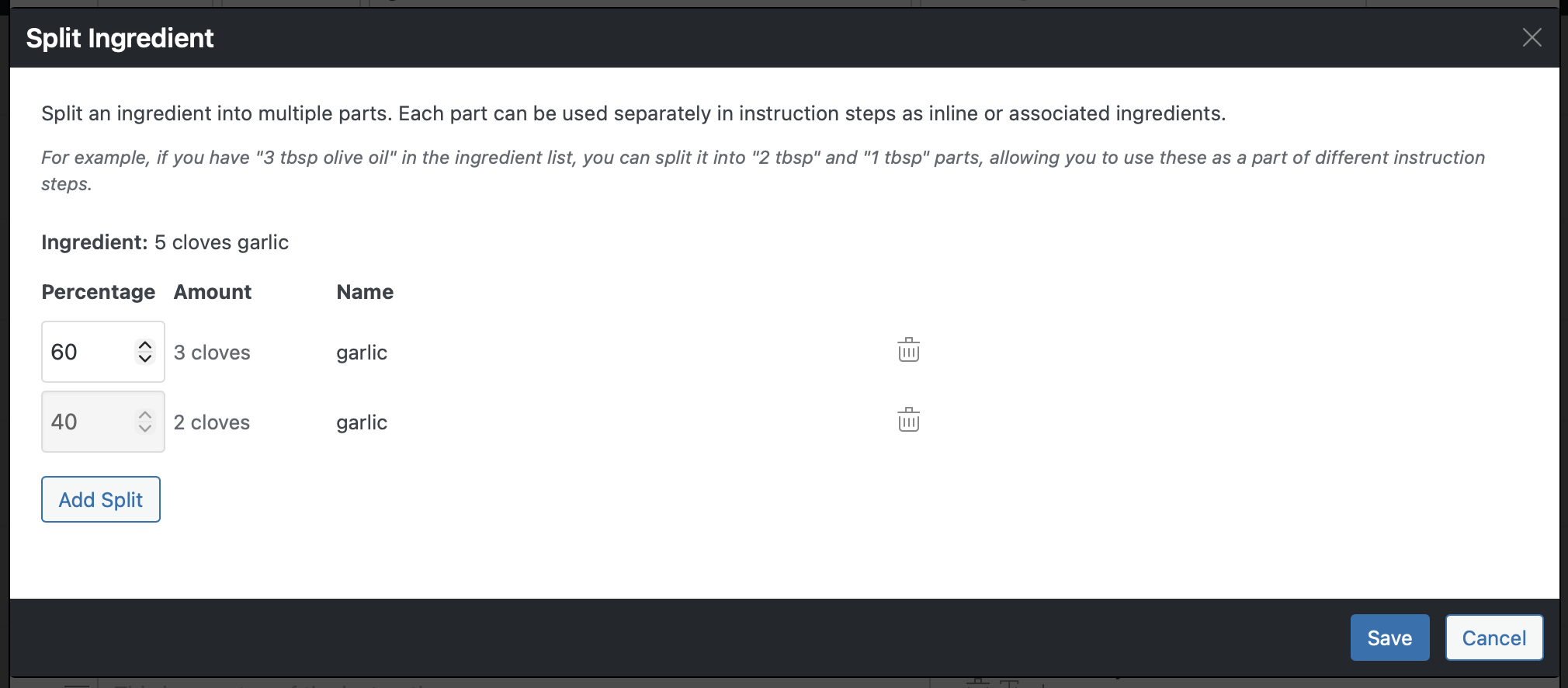
In the example above we split the “5 cloves garlic” that is in the ingredient list into a 60% and 40% part. The preview shows that this means 3 cloves for one step and 2 cloves for the other.
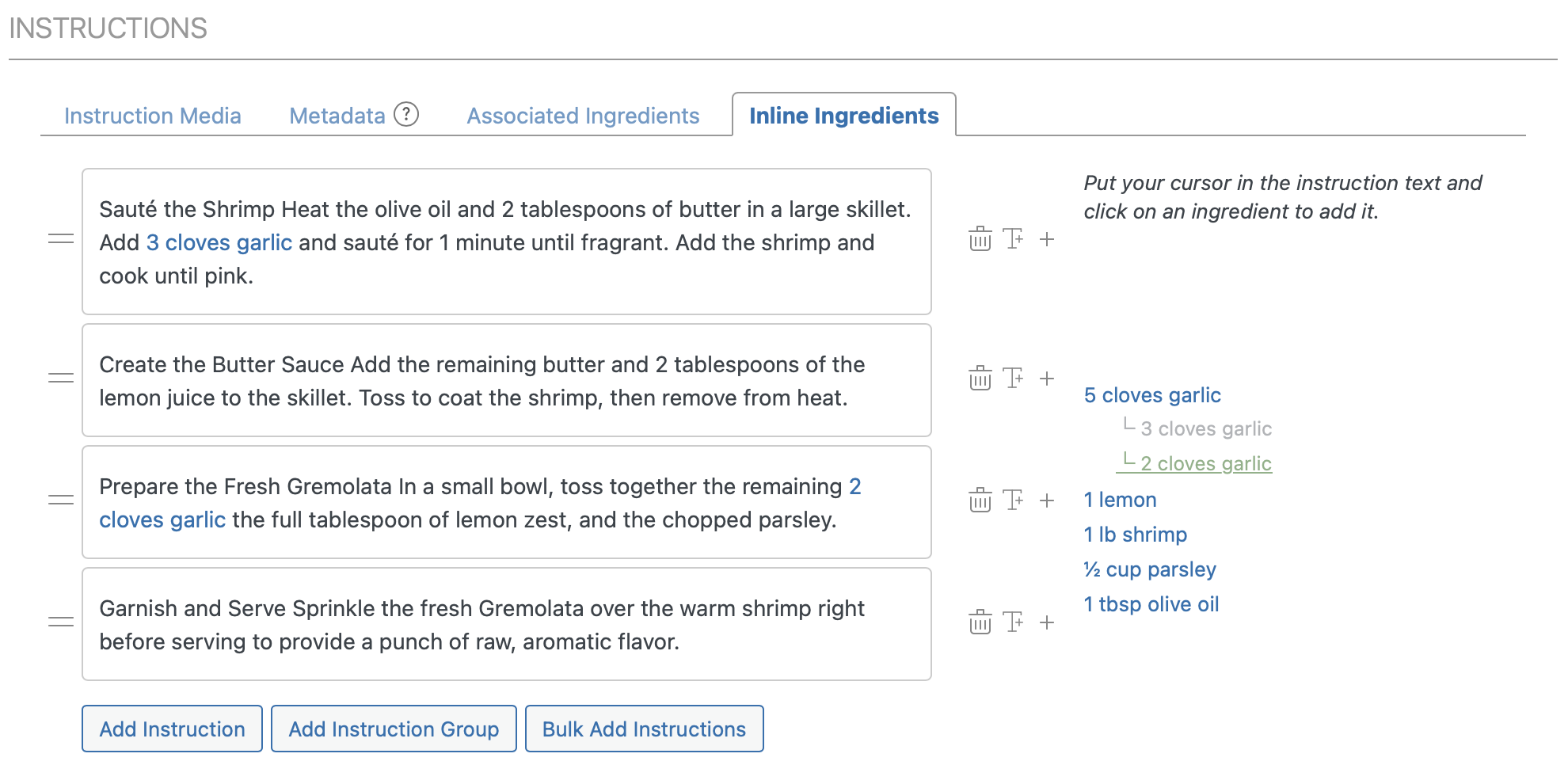
After saving the split we are now able to use those amounts as inline ingredients in their respective instruction steps.
Similarly, you can associate the different split parts with instruction steps, if you prefer associated ingredients over inline ingredients.
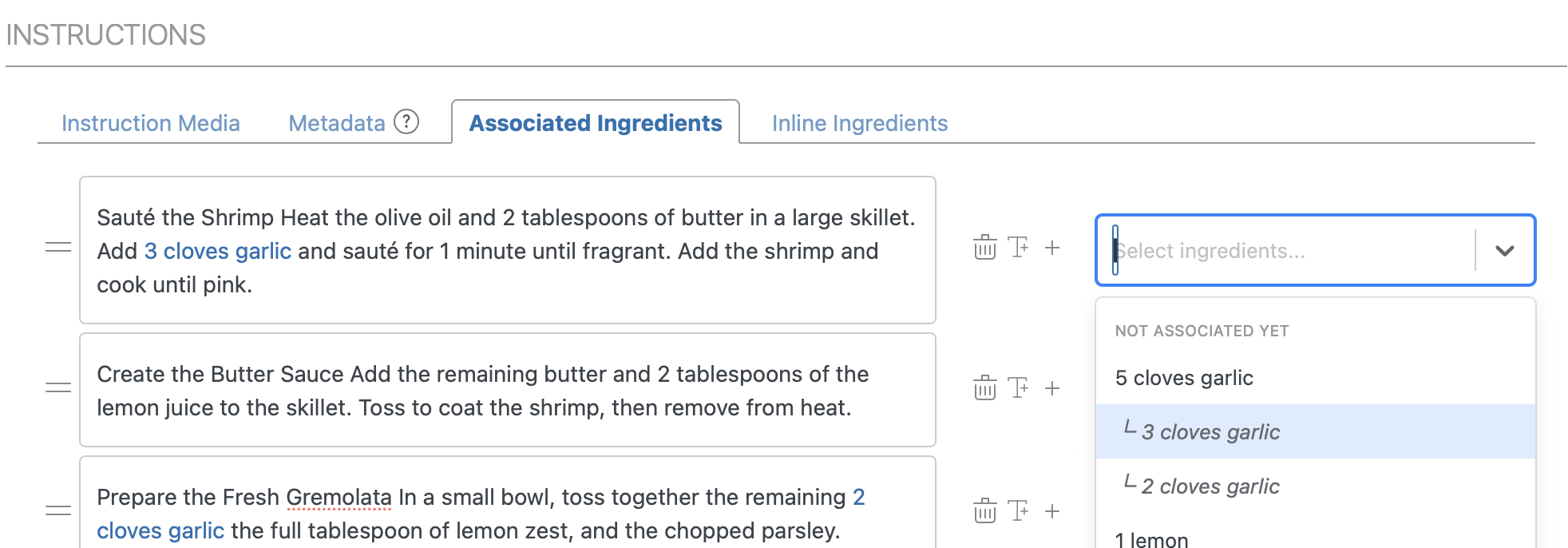
Using these features (instead of simply typing the values) makes sure that the amounts are correct, even when your visitor adjusts the serving size or changes the unit system.
Improved Recipe Creation Workflow
After creating a new recipe through the Dashboard or Manage page, a new modal will pop up allowing you to easily add this recipe to a new or existing post.
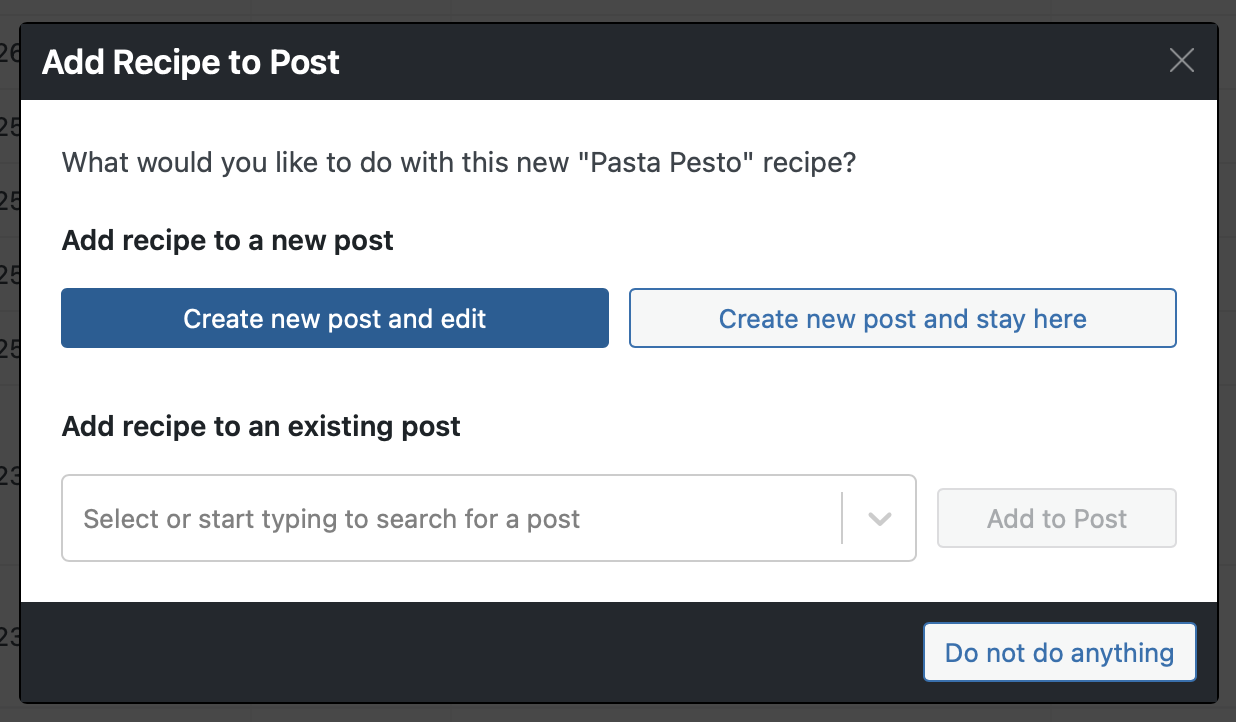
Click the blue button to immediately create a new post for this new recipe and go to that post edit screen. Use the other options to create a post while staying on the Manage page or to add the recipe to a post that already exists.
This small change should help speed up the workflow for those that want to create a recipe before creating a parent post for it.
Full Changelog
We highlighted just a few of the new features/improvements/fixes above. Below you can find the other changes in version 10.3.0. Check out our documentation for a full history.
WP Recipe Maker Premium 10.3.0
- Feature: Support Amazon Creators API for products integration
- Feature: Show Amazon product status on Manage page
- Improvement: Analytics for cook mode button
- Improvement: Default language setting for AI Assistant
- Improvement: AI Suggestions warning if ingredients or instructions not set
WP Recipe Maker 10.3.0
- Feature: Split amounts for inline and associated ingredients
- Feature: New “Add Blocks” interface for the template editor
- Feature: Drag and drop blocks in the template editor
- Feature: Set custom author bio
- Feature: Easily add recipe to post after creating on Manage or Dashboard page
- Improvement: Deeplink navigation for the template editor
- Improvement: Collapsible sidebar for the template editor
- Improvement: Ability to create blank templates in the template editor
- Improvement: Different Vimeo embed codes for video metadata
- Fix: Recipe counter in block editor preview
- Fix: Make sure only recipes shown up in the backend selection when the current user can read those recipes
- Fix: Prevent missing name when editing roundup lists
- Fix: Do not change og:type in Yoast SEO
- Fix: Popup modal background disappearing in some themes
Updating should be possible through the Plugins page in your own WordPress backend. If there are any issues, check out our documentation on updating WP Recipe Maker.